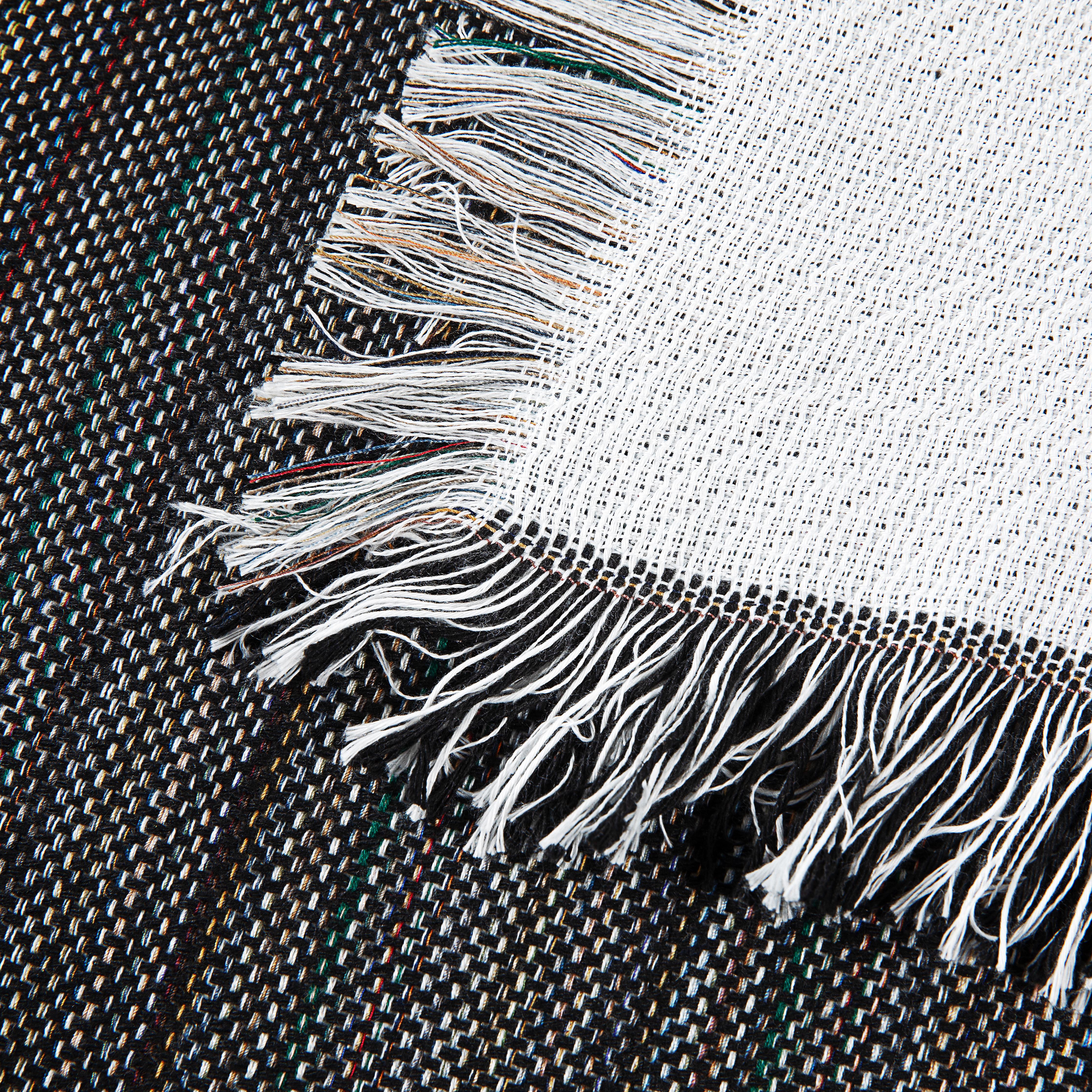
Transfer Paper for Laser: A Maker's Guide to Pro Prints
You know the moment. The press opens, the blanket looks promising, and then the peel tells the truth. The graphic lifts at the edge, the whites look muddy, or the whole design sits on the fabric like a stiff sticker.
That’s where a lot of makers decide laser transfers “don’t work” on premium textiles. In practice, they do. But transfer paper for laser isn’t forgiving when the paper, printer, fabric, and press settings don’t match.
Most guides stop at basic shirt advice. That’s not enough if you decorate fleece throws, sherpa-backed blankets, woven pieces, or outdoor textiles. Textured surfaces change pressure contact. Loft changes heat behavior. Modern laser printers don’t all fuse toner the same way. If you sell custom gifts or short-run merch, those details decide whether your product looks handmade in the best way or homemade in the wrong way.
Why Your Business Should Master Laser Transfer Paper
A bad laser transfer fails in a familiar pattern. The print looks sharp on paper, then the final piece comes out cracked, faded, scorched, or boxed in by a visible film edge.

That’s expensive on a shirt. It’s worse on a premium blanket.
Laser transfer earns the effort because it gives small shops something they need. Fast, repeatable decoration for short runs and personalized orders. You can move from one-off names to small batch event merchandise without building a full screen print setup for every design.
There’s also a clear business reason to learn it well. The laser printing method is projected to hold 42.60% of the revenue share in the transfer paper market in 2025, and the overall market is projected to grow from USD 3.3 billion in 2025 to USD 5.8 billion by 2035 according to Future Market Insights' transfer paper market report. That doesn’t mean every shop should chase every transfer method. It does mean laser remains a serious production tool, not a side technique.
Why laser fits small custom shops
Laser transfers solve a specific production problem. They let you print detailed artwork with toner, press it quickly, and keep setup lighter than many traditional decoration methods.
For makers, the primary value is practical:
- Short runs stay profitable because you’re not committing to long setup cycles.
- Detailed graphics reproduce cleanly when your printer and paper are matched correctly.
- Personalization is simpler for names, dates, team graphics, and event pieces.
- Dark items are possible with the right opaque paper system.
If you need a simple technical refresher on the basic mechanics, Spark has a helpful overview of how transfer paper works.
Where most shops get stuck
The problem isn’t the transfer paper itself. It’s assuming the same method that works on a smooth cotton tee will work on plush fleece or sherpa.
Practical rule: Laser transfers reward discipline more than improvisation.
Premium textiles expose every weak habit. Too much pressure flattens pile and creates ugly press boxes. Too little pressure leaves spotty adhesion. The wrong paper leaves a halo. The wrong peel timing ruins an otherwise perfect print.
Once you treat laser transfer like a controlled production method, not a craft shortcut, the results change fast.
Selecting the Right Paper for Your Project
Choosing paper by “light fabric” or “dark fabric” is only the first cut. On textured goods, that’s not enough. You also need to decide how much opacity you need, how much visible carrier you can tolerate, and how much labor you want in trimming or weeding.

One step paper versus two step systems
The first major fork in the road is simple.
One-step laser papers are straightforward. Print, trim, press, peel according to the paper instructions. They work well when the design is simple, the fabric surface is cooperative, and you don’t mind some cutting.
Two-step weed-free systems change the workflow. You print onto one sheet, marry it to a second sheet, then transfer the bonded image layer to the fabric. They’re a better answer for dark goods and more complex artwork because they reduce the obvious background box that can make transfers look cheap.
Many premium textile decorators move up a level by adopting these systems. A weed-free system gives a cleaner finished edge on dark surfaces, especially when the artwork has fine detail or a lot of negative space.
On textured fabrics, the “best” paper is often the one that leaves the least visible extra film, not the one that looks best on the release sheet.
Match the paper to the fabric surface
Smooth fleece, plush sherpa, woven tapestry, and outdoor micro-plush don’t behave the same way.
Here’s the practical breakdown:
| Fabric surface | Best starting paper choice | What to watch for |
|---|---|---|
| Smooth fleece face | Standard dark or light laser paper, depending on color | Press marks and edge visibility |
| Sherpa-backed item with printable smooth face | Opaque dark paper or weed-free system for dark graphics | Uneven contact if pile sits near the print zone |
| Woven tapestry | Minimal-film approach, simpler designs | Texture can break up fine detail |
| Outdoor micro-plush or coated-feel textiles | Test weed-free systems carefully | Peel behavior can vary more than expected |
If you decorate textured throws, the biggest mistake is choosing paper based only on color. A dark-fabric paper may have plenty of opacity but still leave too much hand or too much visible edge for a premium gift product.
Light and dark papers serve different jobs
For light fabrics, you’re chasing softness and clarity. The fabric itself supports brightness, so the paper can stay less bulky.
For dark fabrics, opacity matters more. The transfer has to create its own visual foundation, which means a heavier-feel product or a more specialized paper system.
A useful outside comparison is this guide to the best paper for laser heat transfer, especially if you’re comparing common paper categories before ordering samples.
When eco-friendly and weed-free papers make sense
Recent weed-free laser papers are worth serious attention if you produce a lot of custom pieces. Some newer options have been reported to reduce waste by 35%, and tests cited for newer eco-friendly sheets showed 92% color vibrancy after 50 washes on polyester, though they also showed a 15% higher peel failure rate on outdoor fabrics without proper testing according to RhinoTech's SingleStep laser transfer paper information.
That trade-off is real. Cleaner production and less trimming are attractive. But outdoor-style fabrics and specialty coatings don’t care about marketing claims. They care about whether the adhesive layer bonds under your press conditions.
A paper selection checklist that saves money
Before committing to a case of paper, check five things:
- Printer compatibility first. Some papers are far less forgiving outside the printer families they were designed around.
- Fabric texture second. Smooth faces tolerate more. Lofty and woven surfaces demand tighter testing.
- Artwork style matters. Fine lettering and floating details look better with weed-free systems.
- Hand feel counts. A gift blanket with a stiff chest-sized transfer won’t feel premium, even if the print is colorful.
- Peel behavior is part of quality. If your workflow gets rushed, choose a paper with a peel window you can repeat consistently.
The shops that waste the least don’t find one perfect paper. They build a short list of paper-fabric pairings that they trust.
Preparing Your Printer and Artwork for Success
A fleece throw can look flawless on the screen, then print with weak toner coverage, rough edges, or detail that disappears into the pile. By the time it reaches the press, the job is already headed for the reject bin. Premium blanks like sherpa, fleece, and woven blankets give you less margin for error than a flat cotton tee.

Your printer settings decide whether the transfer has a chance
Laser transfer shops run into trouble when they print transfer paper like ordinary office stock. Textured textiles make that mistake obvious fast because any weakness in toner laydown shows up after pressing. On a woven blanket, light coverage can look broken. On sherpa, small gaps and thin strokes get swallowed by the surface.
The safest place to start is the print driver, not the heat press. Set the sheet up like specialty media so the printer slows down, lays down enough toner, and handles the paper with less curl and slip.
Check these settings before you print production pieces:
- Media type: Use “Heavy Paper,” “Labels,” or “Cardstock” based on the paper maker’s instructions.
- Print quality: Use the highest quality mode approved for your transfer paper.
- Feed path: Use the bypass tray if your printer feeds heavier sheets more consistently there.
- Economy modes: Turn toner save off. It cuts color density right where you need it most.
If you’re still comparing equipment, this guide on choosing printers for heat transfer paper helps sort out which printer types fit transfer work. Spark also has a practical breakdown of printers for heat transfer paper for small shops building a setup around blankets, throws, and other specialty blanks.
Build the file for the fabric, not just the design
Artwork that works on a smooth shirt often needs cleanup before it goes onto fleece or sherpa. Texture changes what survives. Tiny type, distressed edges, soft glows, and loose floating elements may print fine on the sheet and still fail visually on the finished product.
I treat blanket artwork with a simple rule. If a detail needs a customer to stand close and stare, it probably needs to be enlarged, thickened, or removed.
These habits prevent expensive mistakes:
- Confirm mirroring from the paper instructions. Different laser systems do not all behave the same way.
- Clean up stray pixels and soft halos. They become visible edges after pressing.
- Use bold, intentional shapes. Laser transfers hold solid forms better than fragile detail on textured goods.
- Match line weight to the blank. A woven blanket can hold more detail than sherpa, and sherpa can hide more than you expect.
- Print a test at full size. What looks balanced at 25% zoom often feels undersized on a 50-inch throw.
White toner printers need tighter file control
White toner setups can produce strong results on dark blankets and fleece, but they punish sloppy files. Underbase control, choke, and print order affect both color and hand feel. Too much white underbase can leave the transfer looking heavy. Too little can make colors fall flat against dark fabric.
RIP software earns its place here. It gives you control over white placement and helps keep color output more predictable across different blank types. That matters if you sell premium personalized blankets, where customers notice stiff transfers and muddy color right away.
Print with the finished surface in mind. On Spark Blank Textiles products, the best artwork is usually cleaner, bolder, and slightly simpler than what you would run on a smooth cotton shirt. That is how you get transfers that look sharp on the sheet and still look sharp after they meet a textured fabric.
Heat Press Recipes for Spark Blank Textiles
There is no universal recipe for transfer paper for laser. Paper type changes the press window. Fabric texture changes pressure contact. Surface loft changes how heat reaches the adhesive layer.
The most reliable approach is to treat every fabric and paper combination like a recipe with a tested starting point.
Manufacturer settings are your floor, not your finish line
For standard dark laser transfer paper, a common starting recipe is 140-150°C at low pressure for 7-15 seconds. For weed-free two-sheet systems like RhinoDARK, the window shifts to 154-160°C at medium pressure for 10-12 seconds according to RhinoTech's RhinoDARK heat transfer paper guidance.
That difference matters. A shop that presses every laser transfer at one default temperature will get inconsistent adhesion at best and ruined stock at worst.
Heat Press Settings for Spark Blank Textiles
Use this as a starting table, not a substitute for a production test.
| Fabric Type | Paper System | Temperature | Time | Pressure | Peel |
|---|---|---|---|---|---|
| Fleece Throw | Standard dark laser paper | 140-150°C | 7-15 seconds | Low | Follow paper instructions |
| Fleece Throw | Two-sheet weed-free system | 154-160°C | 10-12 seconds | Medium | Hot peel |
| Sherpa Sublimation Throw print face | Standard dark laser paper | 140-150°C | 7-15 seconds | Low | Follow paper instructions |
| Sherpa Sublimation Throw print face | Two-sheet weed-free system | 154-160°C | 10-12 seconds | Medium | Hot peel |
| Woven Tapestry Blanket | Standard dark laser paper | Start with paper specs and test cautiously | Short test cycle | Controlled, even contact | Paper dependent |
| Outdoor Picnic Blanket | Two-sheet weed-free system | 154-160°C starting point, then test | 10-12 seconds starting point | Medium | Hot peel after testing |
For hands-on press fundamentals, Spark has a useful article on heat press for transfer paper.
Fleece throws
Fleece is often the easiest premium textile entry point for laser work because the printable face is smoother than sherpa or heavily textured woven goods.
Use low pressure first with standard dark paper. Too much pressure can flatten the fabric and create a glossy press box around the transfer.
With weed-free systems, medium pressure can help full contact, but watch the edges. If the press area is too large or the pillow setup is poor, edge contact becomes uneven and shows up after the wash.
Sherpa-backed throws
The printable face matters more than the back. If the print area is on the smooth polyester face, laser transfer can work well, but sherpa loft can still influence the press if the item isn’t supported correctly.
A few hard-earned habits help here:
- Pre-press briefly to remove surface moisture and relax wrinkles.
- Use a firm setup so the print face sits flat and level.
- Avoid oversized graphics that cover too much area and make the blanket feel boardy.
- Test edge adhesion because plush items can conceal weak bonding until the product flexes.
Woven tapestry blankets
Many decorators find this fabric challenging.
Woven texture interrupts perfect surface contact, so ultra-fine detail and large solid blocks both become trickier. Instead of forcing the same design style you’d use on a shirt, adjust the art. Bolder shapes translate better.
On woven goods, simplify before you press. Texture is part of the product, not a flaw to overpower.
Use smaller test graphics in multiple zones. A center panel may press differently than an area closer to a seam or heavier woven structure.
Outdoor picnic blankets
Outdoor textiles need extra caution. Surface finishes, denser construction, and performance-oriented materials can all change how the adhesive grabs.
Weed-free systems are attractive here because they cut trimming labor. But they also deserve more testing on these fabrics than on standard apparel-style goods.
A smart production routine looks like this:
- Test a small logo first rather than a full retail-size graphic.
- Check peel behavior after pressing.
- Let the sample cool and flex it by hand.
- Wash test before selling if the textile has any specialty finish or unusual coating.
The press habits that separate clean work from wasted blanks
The recipe is only part of it. Execution matters as much.
- Pre-press the textile so moisture and wrinkles don’t steal heat from the adhesive.
- Use parchment or protective sheets carefully to avoid scorching and residue transfer.
- Trim close when using one-step dark paper because every extra edge can show.
- Peel at the right moment. Hot peel means hot. Warm peel means warm. Guessing costs money.
- Keep a written log for each paper-fabric combination that earns a passing sample.
A good press operator doesn’t chase magic settings. They build repeatable ones.
Troubleshooting Common Laser Transfer Problems
Most transfer failures get blamed on the wrong thing. People say “the paper is bad” when pressure is the problem. Or they say “the printer can’t handle it” when the artwork edge is dirty and the peel timing was off.

Problem one, cracking or flaking
If the graphic cracks early, don’t assume the transfer itself is low quality. Look at bonding first.
Common causes include:
- Under-pressing. The adhesive didn’t fully anchor.
- Uneven pressure. Part of the design bonded, part didn’t.
- Poor fabric match. The surface wasn’t ideal for that paper.
- Oversized rigid graphic. The transfer can’t flex naturally with the textile.
Fix it by reducing graphic size when possible, checking platen contact, and repeating a small test with tighter process control. On textured goods, a smaller design often outperforms a giant statement print.
Problem two, a visible halo around the design
That pale film edge is one of the biggest giveaways of amateur work.
With one-step dark paper, halos come from rough trimming or too much excess carrier left around the artwork. With more detailed designs, that can be impossible to hide completely.
The cure depends on the job:
| Symptom | Likely cause | Best fix |
|---|---|---|
| White or clear edge around art | Excess transfer film | Trim closer or switch to weed-free system |
| Boxy press area | Oversized cover sheet or too much pressure | Reduce print footprint and refine pressure |
| Shiny patch around image | Fabric compression | Lower pressure and shorten dwell if paper allows |
Problem three, dull color or mottled coverage
This starts before the press.
Check the print itself. If toner coverage looks weak on the sheet, the finished transfer won’t magically become rich on fabric. Verify media settings, print mode, and whether the paper is approved for that printer class.
Then check the fabric. Plush or textured goods can visually break up color because the surface isn’t perfectly flat. Sometimes the answer isn’t “more heat.” It’s choosing artwork with stronger contrast and less dependence on delicate tonal shifts.
A transfer that looks weak on the carrier sheet never becomes strong after pressing.
Problem four, scorched synthetics and shiny press marks
This is the classic premium-textile mistake. The transfer may stick, but the surrounding fabric looks cooked.
What caused it:
- Temperature was too aggressive for the textile
- Pressure flattened the face
- Press time drifted too long during production
- You used a shirt workflow on a lofted blanket
Try a smaller platen area if possible, reduce pressure first, and keep the decorative zone smaller. Many synthetics tolerate laser transfer better when the operator stops trying to overpower them.
Problem five, toner smudging or incomplete release
Smudging traces back to printer compatibility, wrong media settings, or handling the sheet before the toner has settled properly for that workflow. Incomplete release points toward peel timing or poor heat contact.
When this happens, work the problem in order:
- Inspect the printed sheet before pressing
- Confirm the exact media mode used
- Check paper orientation
- Run one controlled sample
- Change only one variable at a time
That last step matters. Shops lose hours by changing heat, time, pressure, paper, and artwork all at once. Then they don’t know what solved the problem.
Ensuring Longevity with Proper Care Instructions
A transfer isn’t finished when it leaves the press. It’s finished when the customer has washed it, used it, and still feels good about buying from you.
That’s why care instructions belong to the product, not as an afterthought on a packing slip. If you sell premium custom textiles, aftercare is part of the quality.
Care is part of the finished product
Laser transfers can be durable. Some systems are rated for over 50 wash cycles when cared for properly, according to Data Insights Market's laser transfer paper report. That durability is one of the reasons laser remains a serious option for custom goods.
The bigger point is older than modern print tech. The push for a lasting image goes back to carbon paper patents in 1801, built around making durable copies without liquid ink, as noted in the same source. Permanence has always been part of the appeal.
What to tell your customers
Keep the instructions short enough that people will follow them.
- Wash inside out to reduce abrasion on the print surface.
- Use cold or gentle washing conditions when possible.
- Skip harsh chemistry such as bleach or aggressive fabric softeners.
- Dry on low heat or air dry if the textile allows it.
- Don’t iron directly on the transfer.
If you sell online, include this in three places. The listing, the packing insert, and the order follow-up email. Repetition prevents returns.
The post-press habit that helps
Many experienced decorators do a finishing press after the initial transfer, using a protective sheet to settle the surface and improve the final feel. The exact method depends on the paper system, so follow the paper maker’s instructions. But the principle is simple. A controlled final press can help the transfer sit better and look more refined.
That extra step matters more on giftable products than on basic promo tees. Customers touch blankets and throws first. They judge with their hands before they judge with words.
Protect your reputation with clear expectations
A premium decorated textile should come with premium care guidance. That doesn’t sound glamorous, but it saves real trouble.
Customers don’t complain because a transfer needs care. They complain because nobody told them. If you make care simple, visible, and consistent, you protect the print and your brand at the same time.
If you want blanks that are chosen with decorators in mind, Spark Blank Textiles is worth a look. Their lineup focuses on premium printable textiles like fleece throws, sherpa blankets, woven pieces, towels, and outdoor styles that small shops and makers can turn into polished custom products.