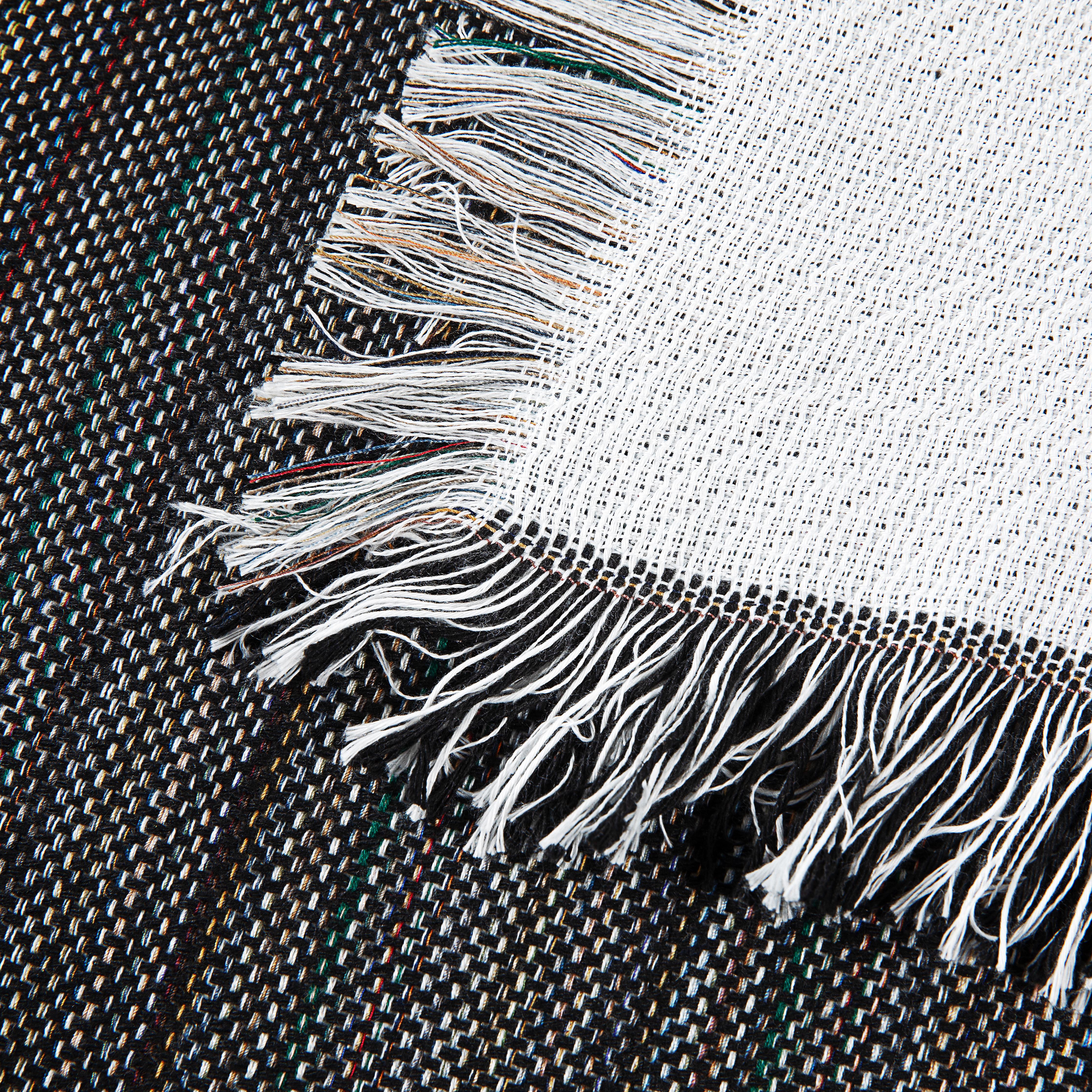
Master graphtech vinyl cutters: Pro Workflow for Textiles
One bad cut can wipe out the margin on a premium blanket fast. You weed the design cleanly, line everything up, press it, and then notice the edge isn’t right because the vinyl was off from the start. That’s the kind of mistake small shops remember, especially when the blank itself wasn’t cheap and the customer expected a gift-quality finish.
That’s why graphtech vinyl cutters earn their place in real production. They’re not just nice machines to own. They’re the center of a workflow that has to stay repeatable when you’re handling custom names, small-batch orders, layered logos, and soft goods that need to look polished the first time.
Your Graphtec Cutter The Heart of Your Custom Textile Business
A premium sherpa blanket order usually looks simple on paper. Cut the name, weed it, press it, pack it. The margin disappears fast if the cutter leaves rough corners or drifts on a longer design, because thick, high-end blanks do not hide mistakes.
That is why a Graphtec cutter belongs at the center of a textile shop that sells decorated blankets, towels, and gift items. The press gets the credit at the end. The cutter decides whether the transfer starts clean enough to finish clean.

Why shops trust Graphtec
Graphtec has been in this category for a long time, and that matters on a production floor. The company built its reputation around accuracy, tracking, and repeatable cutting, which is why these machines stayed common in sign shops, apparel decoration, and custom product businesses for years.
For textile work, that history shows up in the details that affect profit. Carriages track cleanly. Long runs stay consistent. Fine shapes cut with less guessing once the machine is set correctly. A shop working on premium fleece and sherpa blanks needs that kind of behavior more than headline speed.
Graphtec cutters are reputation tools.
What that means in a textile shop
Soft goods expose sloppy production faster than hard goods do. A decal on a smooth panel gives you some forgiveness. A transfer going onto plush fleece does not. If the cut edge is rough, if a script name has weak corners, or if a layered graphic is slightly off, the finished piece looks cheaper than the blank you started with.
That matters even more with higher-end textiles from suppliers like Spark Blank Textiles. Thick blankets and gift-grade pieces carry higher material cost, and they attract customers who notice finish quality right away. Clean cutting supports the whole chain, from weeding to placement to pressing. It also reduces the little production choices that cause problems later, like using the wrong carrier or the wrong transfer paper for heat transfer vinyl on specialty jobs.
A dependable cutter helps in a few concrete ways:
- Cleaner small details: Fine text, thin strokes, and script lettering cut with sharper corners and less pulling during weeding.
- Better repeatability: Saved conditions matter when you run the same names, monograms, or logos across multiple blanket styles.
- Lower waste on expensive blanks: Premium textiles need transfers that look intentional, not close enough.
- More confidence on long graphics: Full-width names and decorative lines stay usable when tracking stays steady.
The business side shops learn fast
Customers do not ask what cutter sits in the shop. They judge the final product. Crooked placement gets noticed. Jagged edges get noticed. A transfer that looks heavy or slightly off on a plush blanket gets noticed immediately.
In practice, the cutter sets the standard for everything that follows. If cuts are predictable, the shop can price work with confidence, train staff faster, and take on better blanks without adding unnecessary risk. That is a real advantage when your product mix includes premium fleece and sherpa pieces, where one remake can erase the profit from the order.
Good shops learn this early. The cutter is not background equipment. It is the machine that helps custom textile work look finished, deliberate, and worth the price.
Pre-Cut Preparation The Foundation for Flawless Results
Most cutting problems start before the vinyl ever loads. Shops often blame the machine when the problem lies with blade choice, blade exposure, or a file that wasn’t cleaned up for production.
Good prep looks boring. It also saves material, labor, and rework.
Start with the blade, not the software
A lot of operators overcomplicate blade selection. For most standard heat transfer vinyl, a 45° blade is the starting point. It handles ordinary shapes, standard lettering, and everyday logos well.
A 60° blade earns its place when the film gets tougher. Thick glitter HTV, denser specialty films, and jobs with tighter corners usually cut better with the steeper blade angle because it penetrates more aggressively.
What works in practice:
- Standard HTV on fleece or smooth polyester: 45° blade
- Small text or more intricate corners: still often 45°, but slow the machine before changing everything else
- Glitter, textured, or heavier films: 60° blade
- Reflective or stubborn specialty films: lean toward 60°, then test
The mistake most shops make isn’t picking the wrong angle. It’s exposing too much blade.
Blade depth is where many jobs go wrong
You shouldn’t see much blade at all. That’s the rule. If the tip looks dramatic, it’s set too far out.
Too much blade causes drag in corners, rough cuts, torn carrier sheets, and weeding that feels harder than it should. Too little blade leaves uncut spots that show up after pressing prep has already started.
A clean setup routine:
- Install the blade and retract it almost fully.
- Expose only enough tip to cut the film layer, not the carrier.
- Run a test cut on scrap.
- Adjust force before you start cranking out more blade.
The best blade setup usually looks too shallow to a new operator. That’s normal.
File prep decides whether weeding is easy or miserable
The software side matters just as much as hardware. Whether you use Graphtec Pro Studio, Cutting Master, or another vector workflow, clean paths save time.
Look for these issues before cutting:
- Duplicate lines: They make the cutter travel the same path twice and can slice too deep.
- Open paths: These leave small tabs that fight you during weeding.
- Unnecessary anchor points: These create shaky curves and ugly corners.
- Tiny details that won’t survive weeding: Simplify them before production.
If you’re cutting HTV, mirror the design. That sounds basic, but rushed shops still miss it on name runs and reorder jobs.
Add a weeding box when the design needs one. A simple outer box can make large layouts much faster to weed because you’re not peeling from awkward edges or fighting excess film across the full sheet.
Build settings by material family
Instead of chasing one magic preset, create a short internal library by material family. Standard HTV, flock, glitter, reflective, printable HTV, and adhesive decal vinyl should each get their own saved approach.
Below is a practical starting framework.
| Material Type | Blade | Force (gf) | Speed (cm/s) | Notes for Spark Textiles |
|---|---|---|---|---|
| Standard HTV | 45° | Test cut first | Moderate | Good for smooth, everyday transfers on fleece-style products |
| Glitter HTV | 60° | Increase gradually from your standard HTV baseline | Slower than standard HTV | Use slower cuts to hold corners and reduce lifting during weeding |
| Reflective or specialty HTV | 60° | Start conservative and test | Slow | Material can shift or fight small details, so prioritize control |
| Adhesive vinyl for carrier graphics or stencils | 45° | Test cut first | Moderate to faster | Clean path prep matters more than speed on detailed work |
That table is intentionally qualitative where hard verified numbers weren’t provided. In production, your own test cut beats any generic preset.
A few prep habits that pay off every day
- Check the roll edge: If the roll was stored poorly, the feed can start crooked before the machine does anything wrong.
- Use scraps for test shapes: Save the usable offcuts from larger jobs for setup checks.
- Name your presets clearly: “Glitter HTV small text slow” is better than “Preset 4.”
- Keep transfer steps in mind while designing: If a design will be annoying to mask, layer, or position, fix it at the file stage.
If you’re also refining the press side of your workflow, this guide on transfer paper for heat transfer vinyl is worth reviewing because cut quality and transfer handling always affect each other.
The Graphtec Cutting Process From Screen to Textile
A two-color logo on a sherpa blanket is the kind of order that exposes every weak habit in a cutting workflow. If the file is slightly off, the cut edge is rough, or the layer spacing is crowded, plush textile surfaces make the mistake obvious fast. That is why I treat Graphtec setup for blankets and other thick finished goods differently than I would for basic tee shirt work.

Loading the roll so the machine can do its job
A Graphtec cutter tracks well when the operator gives it a straight, stable start. Crooked feed, uneven tension, and sloppy pinch roller placement create problems that get blamed on the machine later.
On the Graphtec FC9000 series, the machine offers a three-pressure push roller system, cutting speeds up to 58.5 in/sec, and force up to 600 gf in 48 steps, as listed on the USCutter FC9000-075 product page. Those specs matter less than how they are used. On thick HTV or specialty films headed for sherpa and fleece, roller pressure needs to hold the material firmly without leaving marks or encouraging drift on a long pass.
The practical rule is simple. Use only enough pressure to keep the material planted.
For blanket graphics, I also leave a little extra margin on both sides of the design. Thick films and premium textiles cost too much to crowd the usable area just to save a few inches of material.
The test cut decides the job
A proper test cut saves more time than any speed setting.
I check three things before committing to a full run: the face film should separate cleanly, the carrier or backing should stay intact, and sharp corners should release without dragging. If the design includes small counters, narrow script, or outline details, I lift those first. Sherpa and fleece projects often use bolder artwork, but premium gift items still get monograms, names, and fine branding details that can turn into a weeding fight if the cut is even slightly too deep or too light.
Anyone still fuzzy on film types should review the basics of what HTV is and how it behaves during cutting and pressing. That helps when choosing settings for standard, glitter, flock, and other specialty finishes.
Dialing in force and speed for textile transfers
Graphtec cutters give you a wide adjustment range. The mistake is assuming that range should be used aggressively.
On thick textile films, I want a clean edge and predictable weed more than a fast carriage movement. Faster settings can work on simple shapes, but they start to show their downside on small lettering, tight inside corners, and layered logos that will sit on plush goods. A sherpa blanket does not hide sloppy edges. It frames them.
My production order stays consistent:
- Cut the first test shape at a moderate speed
- Raise force only until the film weeds cleanly
- Slow down before adding force if corners start to distort
- Reserve extra passes for materials that require them
- Recheck settings if the room temperature or material batch changes
That last point matters more than shops admit. A film that cut cleanly last week can behave differently after storage, especially in a room that swings hot in the afternoon or dry in winter.
ARMS matters when print and cut enters the picture
If the job includes printed transfers, contour-cut branding pieces, or alignment-sensitive layers, the registration system becomes critical. Graphtec’s ARMS workflow helps with registration mark detection, axis alignment, and long-run correction, which is exactly what you want when a printed outline has to land cleanly around a logo shape.
Accuracy matters most on products that already have a premium feel. A basic promo item might survive a slight offset. A high-end fleece or sherpa throw will not. The customer sees the whole piece at once, and misregistration reads as cheap immediately.
Before running ARMS, keep the process tight:
- Print clean registration marks
- Trim or load the sheet square
- Keep the sensor area free of dust and adhesive buildup
- Check the first contour path before committing the full run
A quick visual reference helps if you’re setting up or training staff on machine handling:
How a two-color blanket logo flows
For a two-color logo on a sherpa throw, I cut and inspect one layer at a time. That is slower than trying to batch both colors immediately, but it reduces expensive surprises. Thick films can behave differently from color to color, and the top layer may need slightly more restraint on speed if the detail is finer.
The workflow I trust looks like this:
- Load the first color square and confirm tracking
- Run a test cut on that exact film
- Cut the first layer at a controlled speed
- Weed enough of the design to inspect small details and corner quality
- Load the second color and repeat the process
- Dry-fit both layers before any heat is applied
That dry-fit catches bad spacing, awkward overlaps, and logos that looked balanced on screen but feel too dense on a plush surface. On premium textiles from suppliers like Spark Blank Textiles, that judgment step separates a clean retail-looking piece from something that feels overbuilt. Graphtec cutters reward that kind of discipline. The machine has the precision. The operator has to protect it.
Post-Cut Workflow Weeding Transfer and Application
A perfect cut can still turn into a mediocre product if the finishing work gets sloppy. At this stage, shops either look polished or look rushed.
Weeding, transfer handling, and pressing all need their own discipline. Plush textiles make that even more obvious because the surface can flatten, shine, or mark if you treat it like a basic tee shirt.
Weed for visibility, not speed alone
Good weeding starts with the setup around the job. Bright light matters. A clean table matters. Patience matters more on premium products than people want to admit.
Three habits help immediately:
- Use strong lighting: You need to see cut lines clearly, especially on matte, dark, or specialty films.
- Pull waste with intention: Don’t rip away large sections and hope the centers stay put.
- Keep a pick and tweezers nearby: Fine details are easier to control with the right tool than with fingernails.
If the text is tiny or the design has delicate counters, reverse weeding can be the safer route. That means applying transfer material first, then removing waste so the design stays supported. It’s slower, but some jobs need slower.
Small lettering usually fails during weeding, not cutting.
Match the transfer method to the design
Not every design should be handled the same way after cutting. Large one-piece graphics behave differently from names, monograms, and layered logos. Consider these practical approaches:
- Single large shapes: Standard weed and place is usually fine.
- Tiny text or script: Reverse weed if pieces want to lift.
- Multi-layer logos: Keep each layer organized and labeled before moving to the press.
- Detailed layouts: Use alignment guides outside the final visible area when possible.
If you want a clearer baseline on material types and how they behave in application, this overview of what is HTV is useful for newer operators or team training.
Pressing plush textiles without crushing them
Blankets and similar soft goods don’t behave like flat apparel blanks. The pile can flatten. Fibers can show pressure marks. The transfer can look sunken if the pressing setup ignores the texture.
What works better is a controlled approach:
- Pre-press lightly if the textile needs moisture removal, but don’t mash the pile flat longer than necessary.
- Lint roll the surface so stray fibers don’t interfere with adhesion.
- Use a cover sheet to protect both the fabric and the platen.
- Reduce pressure when the pile is lofty so you don’t stamp a box into the fabric.
- Test on a sample first if the fabric face is unusually plush or delicate.
A practical finishing checklist
Instead of chasing one universal setting, use a checklist that protects the textile.
- Temperature choice: Stay within the vinyl manufacturer’s recommended range and lean conservative first on plush fabrics.
- Pressure choice: Medium pressure is often too much on lofty surfaces if unsupported. Adjust for the fabric, not just the transfer.
- Pillow or pad support: A pressing pillow can help raise the decorated area and reduce edge impressions from seams or heavy surrounding pile.
- Peel method: Follow the film’s hot, warm, or cold peel requirement exactly.
- Second press: A brief finishing press with a protective sheet can help seal edges, but only if the textile face tolerates it well.
What usually goes wrong
Shops lose finish quality in familiar ways:
- Pressing too hard and leaving a visible platen box
- Overheating plush fibers so the surface sheen changes
- Rushing placement and ending up visually off-center
- Pulling the carrier too aggressively before the adhesive has settled
- Ignoring the way a thick blanket folds, which changes how a design reads when presented
The final inspection should happen after the textile cools and relaxes. Some pieces look fine straight off the press, then reveal edge lift or pile marks once handled.
A clean post-cut workflow turns graphtech vinyl cutters from good equipment into part of a complete production system. Clean cutting gets the design ready. Careful finishing makes it look expensive.
Maintenance and Troubleshooting Common Graphtec Issues
Graphtec machines stay reliable when the maintenance routine stays boring. Most major frustrations start as small neglect. Debris builds up, strips wear down, blades dull, and then the operator starts changing settings to fix a mechanical issue.
That’s when waste starts piling up.
The routine that prevents most headaches
Daily or frequent maintenance doesn’t need to be complicated.
- Clean pinch rollers: Adhesive dust and vinyl debris affect feeding and grip.
- Wipe the cutting path area: Scraps in the bed lead to small inconsistencies that become big ones on detail work.
- Inspect the blade holder: A blade that doesn’t move freely won’t cut consistently.
- Check the strip visually: If jobs start behaving oddly, look here early.
A lot of shops wait too long to inspect wear parts because the machine still “mostly works.” That’s expensive thinking.
Inconsistent depth across the bed
One of the most frustrating Graphtec issues is a blade that cuts deep in one area and shallow in another. Operators often respond by increasing force, which usually makes part of the problem worse.
A common cause is a worn teflon cutting strip. User reports in the Signs101 forum point to strip replacement as the practical fix for zonal depth variance on larger jobs, and the discussion is a good reminder that this maintenance step gets underemphasized in many official guides: Graphtec not cutting in some areas deep enough.
What that looks like in production:
- One side weeds perfectly
- Another area barely scores
- Small shapes fail in only certain bed positions
- Max force still doesn’t create an even result
Replace the wear part before you rebuild the whole setup around a bad strip.
Also check for debris, roller-related pressure differences, and a blade holder that picked up residue. But don’t ignore the strip. It causes more “mystery” problems than many shops expect.
Specialty films that won’t stay put
Chrome, holographic, prismatic, and other slick films can behave badly even when ordinary vinyl cuts fine. One underserved issue in Graphtec content is vacuum hold-down trouble on slippery specialty media. Forum users discussing the CE6000-60 describe the vacuum failing to secure the center of reflective or slick vinyl properly, which can lead to material shifting and ugly defects such as incomplete small circles, as seen in this USCutter forum discussion about vacuum not holding down vinyl.
When a specialty film starts moving, I check these first:
- Vacuum path cleanliness: Adhesive residue and dust can interfere with hold-down behavior.
- Material support: Don’t let heavy or curled media pull against the cutting area.
- Blade choice: Tougher, reflective films often need a different blade angle and a slower approach.
- Speed: Slow down before changing five other variables.
Symptoms, causes, fixes
| Symptom | Likely cause | First fix |
|---|---|---|
| Cuts too deep in one zone and too light in another | Worn teflon strip | Inspect and replace strip |
| Small circles or details fail on slick films | Material shifting during feed or hold-down weakness | Slow speed and improve media stability |
| Weeding gets harder than usual on a known material | Dull blade or excess blade exposure | Replace blade or reset depth |
| Long jobs drift slightly | Dirty rollers or poor loading | Clean rollers and reload square |
Don’t tune around neglected maintenance
A sharp operator can compensate for a lot, but not forever. If your saved preset suddenly needs more force, more passes, and slower speeds to get the same result, something physical usually changed.
Check the machine before rewriting the profile.
That habit keeps troubleshooting honest. It also protects your confidence in graphtech vinyl cutters, because a lot of “machine problems” are really shop-floor maintenance problems wearing a disguise.
From First Cut to Full Production Scaling Your Workflow
A single successful job proves the machine works. A scalable workflow proves the business works.
That shift matters. Many shops stay stuck in one-off thinking long after orders start growing. They can produce a nice custom piece, but the process depends too much on memory, hand tweaks, and operator intuition. That’s fine for hobby volume. It’s risky for paid production.
Use the machine features that save labor
The Graphtec CE8000 Series is built for longer production runs. It supports long-length tracking on roll media up to 50 ft, and its ARMS 8.0 optical eye with barcode reader supports continuous cutting of different jobs, according to Graphtec GB’s CE8000 launch details reported by Texintel. That same source notes that sequential mode can deliver 25% faster batch processing.
Those features matter most when your order mix gets messy. Different names, different logos, and repeated promo layouts can all live on the same production roll if the workflow is organized correctly.
That’s how you buy back time without lowering standards.
Standardize what should never be guessed
If you want consistent output, document the parts of production that shouldn’t depend on memory.
Use a short operating sheet for each material family:
- Blade installed
- Typical speed range
- Force starting point
- Peel method
- Press notes
- Known problem areas
This doesn’t need to be fancy. A printed sheet near the cutter often works better than a buried digital file no one opens.
If your shop is building a stronger press-side system too, keep a reference for Siser heat transfer vinyl heat press settings alongside your cut profiles so operators treat cutting and application as one connected process.
A simple QC check before shipping
Quality control shouldn’t start when a customer complains. It should happen before the item gets folded.
Use a short final check:
- Look at edge adhesion after cooling.
- Check graphic placement from normal viewing distance, not nose-to-fabric distance.
- Confirm no stray vinyl fragments remain from weeding.
- Inspect for press marks, shine, or pile distortion.
- Fold and present the item the way the customer will first see it.
Shops scale better when they document quality before they need to defend it.
Why the workflow matters more than the machine alone
A good Graphtec won’t fix weak prep, careless loading, or rushed finishing. What it will do is reward discipline. It gives small businesses a machine capable of real production, long tracking, accurate contour work, and repeatable output.
That’s the difference between making custom items and running a customization business.
When your process is stable from blade setup to final QC, premium products leave the shop looking intentional. Customers notice that. Repeat buyers notice it even faster.
If you need blanks that match a production-minded workflow, Spark Blank Textiles offers premium textiles made for customization, including fleece, sherpa, towels, and other soft goods that help small shops turn clean cutting and careful pressing into finished products worth selling.