How to Print Iron-On Transfers for Professional-Quality Results
Printing your own iron-on transfers is a fantastic way to create custom apparel, gifts, and decor. Getting it right really comes down to three things: the right paper, the right printer, and the right textile. When you dial in this trio, you’re setting yourself up for a durable, professional-looking design that really pops.
Choosing Your Foundation for a Flawless Transfer

Before you even think about hitting "print," the decisions you make here will determine whether a project looks sharp and vibrant or feels dull and amateurish. Think of this as your pre-flight checklist. Getting these fundamentals right from the start saves a lot of frustration (and wasted materials) down the line.
Selecting the Right Transfer Paper
The most common snag we see beginners run into is grabbing the wrong type of iron-on transfer paper. It’s definitely not a one-size-fits-all situation. The paper you need is specifically engineered for the color of the fabric you're pressing onto.
- Paper for Light Fabrics: This paper has a transparent transfer layer, so when you press it, the ink infuses into the garment. Any unprinted areas stay clear, letting the shirt's color show through. Because of this, you absolutely must mirror your image before printing.
- Paper for Dark Fabrics: This paper works more like a high-quality, printable sticker that’s fused to the fabric. It has a solid white, opaque background that ensures your colors stay bright and true, even on a black or navy shirt. You do not mirror your design for this type.
Choosing the wrong one means your beautiful design might look washed out on a dark shirt or have a very obvious polymer box around it on a white one. Always double-check the packaging to make sure you have the right paper for your project.
Transfer Paper at a Glance: Light vs Dark Fabrics
To make it even clearer, here’s a quick rundown of the key differences you need to know.
| Characteristic | Paper for Light Fabrics | Paper for Dark Fabrics |
|---|---|---|
| Background | Transparent | White & Opaque |
| How It Works | Ink infuses, unprinted areas are clear | A solid layer is fused onto the fabric |
| Image Prep | MUST be mirrored (flipped horizontally) | Print as is; DO NOT mirror |
| Feel on Fabric | Softer, more blended feel | Heavier feel, sits on top of the fabric |
| Best For | White, pastel, and light gray fabrics | Black, navy, red, and all dark colors |
Getting this one detail right is probably the most critical step in the entire process.
Expert Tip: The single most important factor is matching your paper to your fabric color. Using paper for light fabrics on a dark shirt will result in a nearly invisible design, while using paper for darks on a light shirt can create a heavy, stiff feel.
Inkjet vs Laser Printers
Next up is your printer. The vast majority of heat transfer papers you’ll find at craft stores are made for inkjet printers. These printers use liquid ink that soaks perfectly into the transfer paper's coating, giving you the great color vibrancy that’s essential for fabric projects.
Laser printers, which use heat and powdered toner, need a very specific type of transfer paper designed to handle high temperatures without melting. While laser transfers can be incredibly durable, the paper is often pricier and harder to find. For most small print shops and Etsy sellers, a good, reliable inkjet printer is the workhorse for iron-on jobs.
Starting with a Quality Textile
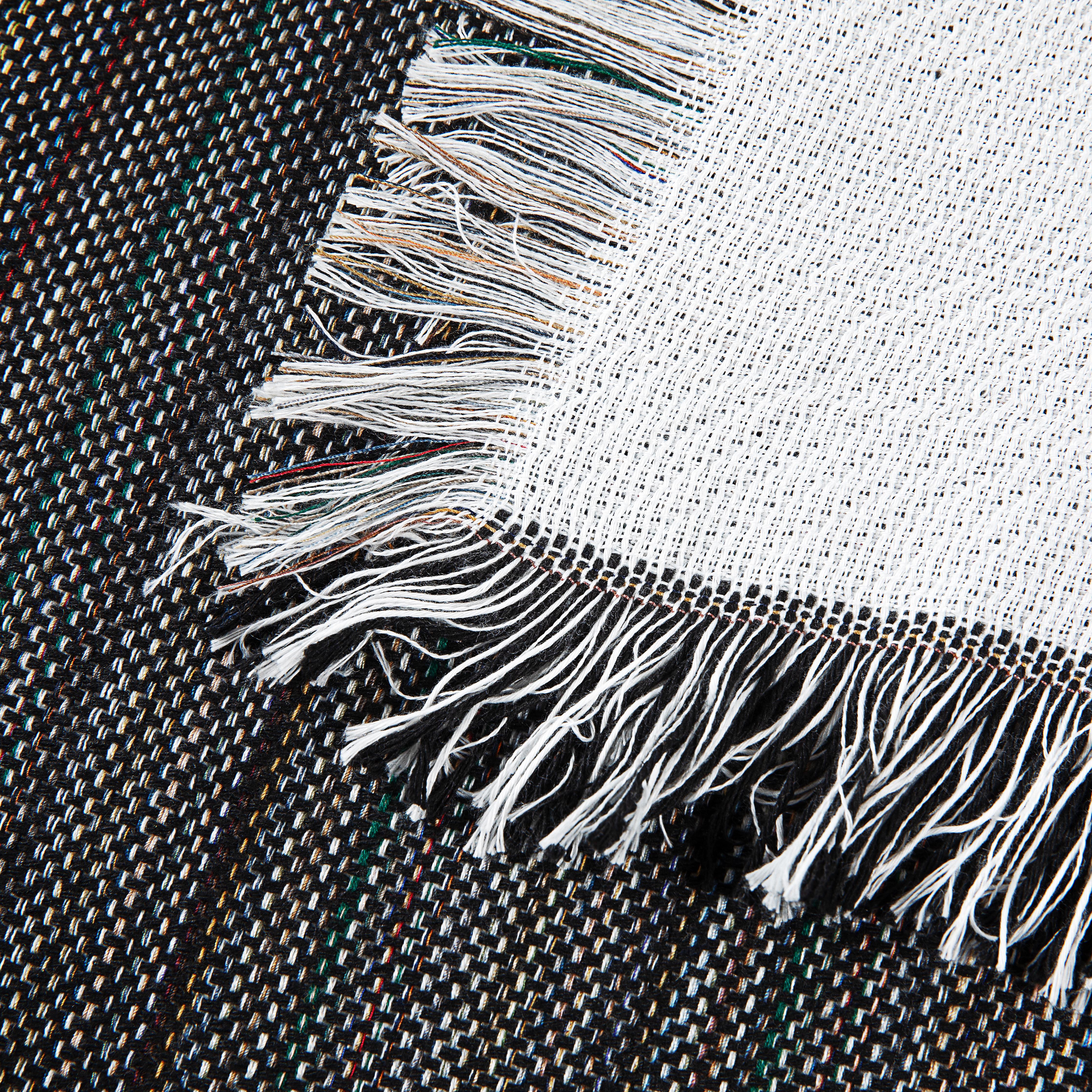
Finally, remember that your blank garment is the canvas for your art. A high-quality textile provides a smooth, even surface for the transfer to adhere to, which improves both the look and the longevity of your design.
At Spark Blank Textiles, we’re specialists in curating premium-quality blanks because we know from experience that a great print starts with a great foundation. While iron-on transfers are a perfect match for cotton, they can also work well on certain blends. This focus on quality is what helps your final products stand out.
It’s also crucial to know when a different decoration method might be a better fit. For a deeper look, check out our guide on the differences between sublimation and heat transfer. It’ll help you figure out the best approach for whatever you’re creating.
Getting Your Artwork Ready for a Flawless Print
A great transfer is made on the computer long before the heat press even gets plugged in. The prep work you put in now is what separates a professional-looking product from a frustrating mistake that wastes time and expensive paper.
Getting your digital file just right is the secret sauce. It’s not just about finding a cool graphic; it’s about dialing in the technical details to avoid those all-too-common pitfalls like blurry images, backward text, or colors that just look off.
The Golden Rule: Mirror Your Image
If there’s one thing you take away from this guide, let it be this: you absolutely must mirror your image before printing on transfer paper meant for light-colored fabrics. This is one of the most common and heartbreaking mistakes for beginners.
Paper for light fabrics is designed to be placed face-down on the garment. The heat then lifts the ink from the paper onto the shirt. Without flipping the design first, any text or asymmetrical graphics will end up as a backward reflection of what you intended.
Here’s the simple breakdown:
- Paper for Light Fabrics: ALWAYS flip horizontally. The text on your screen and on the final printout should look completely backward.
- Paper for Dark Fabrics: NEVER flip. These are opaque transfers that you apply face-up, so what you print is what you get.
Almost any design software has a "flip horizontal" or "mirror" command. In tools like Canva or Adobe Illustrator, it’s usually just a click or two away in the image settings. Make this a non-negotiable part of your pre-print checklist.
Nail the Resolution for Crisp, Sharp Prints
Ever see a t-shirt where the design looks fuzzy and pixelated? That’s almost always a resolution problem. On-screen, images can look fine, but for printing, we measure quality in DPI (dots per inch). Think of it as the amount of detail your printer can pack into every square inch.
A low-resolution image, like one you might pull from a website, simply doesn't have enough data. When you go to print it, the printer has to stretch those few pixels out, and the result is a blurry mess.
Expert Tip: For professional, clean-looking iron-on transfers, your design file needs to be 300 DPI at its final print size. A standard web image, often at 72 DPI, just won’t cut it.
If you’re building a design from scratch in a program like Adobe Photoshop, set your canvas to 300 DPI right from the start. If a client sends you a logo, or you download a graphic, check its properties immediately. You can’t magically add detail that was never there, so starting with a high-quality file is everything.
Managing Color (and Expectations)
Let's talk color. The vibrant, glowing image on your backlit monitor (which uses an RGB color model) is not what you’ll get from your printer’s ink (which uses a CMYK model). This is a fundamental concept in the printing world. Screens create light; ink absorbs it. This means printed colors can sometimes look a little darker or less saturated than they did on screen.
So, how do you get closer to what you want? First, if you can, calibrate your monitor. But more practically, always run a quick test print on regular paper. This gives you a preview of how the colors will actually look without wasting a sheet of your premium transfer paper.
This little test lets you hop back into your software and make adjustments. You might find you need to bump up the brightness or saturation a bit to compensate. If you're serious about color accuracy, our guide on the best printers for heat transfer paper gets into which machines handle color best.
From Digital File to Physical Transfer
Alright, your artwork is prepped and looking sharp on the screen. Now comes the part where you make it real. This is where we bridge the gap from a digital file to a physical transfer you can press onto a garment. Getting this stage right is what separates a crisp, professional-looking shirt from a frustrating, blurry mess. Precision and patience here will pay off big time.
Think of your printer as your most important tool in this process. Just hitting "print" and hoping for the best is a recipe for disappointment. You have to give it the right instructions, especially since it's dealing with the unique thickness and coating of iron-on transfer paper.
Dialing in Your Printer Settings
The first thing you need to do is dive into your printer's settings menu and tell it what kind of paper you're using. This is absolutely critical. The paper type setting dictates how much ink the printer lays down. If you leave it on the "Plain Paper" default, your design will almost certainly come out looking faded and undersaturated because the printer is being too conservative with the ink.
You need to tell it you're using a heavier, coated paper. Look for options like these in your print dialog box:
- T-Shirt Transfer: If your printer has this specific setting, you've hit the jackpot. Use it. It’s calibrated exactly for this purpose.
- Photo Paper Matte: This is our go-to alternative if a t-shirt setting isn't available. Matte photo paper is thick and designed to hold a lot of ink, which closely mimics how transfer paper behaves.
- Photo Paper Glossy: In a pinch, glossy photo paper settings can also work. The printer will prioritize rich, saturated color, which is exactly what we want.
After you've picked the paper type, hunt down the print quality setting. Don't skip this. Always crank it up to "High Quality," "Best," or whatever the highest option is called on your machine. This forces the printer to slow down and lay down more ink, giving you those deep, vibrant colors that really pop.
Trimming and Weeding Your Design
Once your design is printed, let it sit for a few minutes. The ink needs to be completely dry to the touch before you handle it. From here, you’ll need to trim away all the extra, unprinted material around your artwork. You can either do this with a cutting machine or by hand.
If you have a Cricut or Silhouette, their "Print Then Cut" feature is a total game-changer, especially for complex designs or when you're making multiple transfers at once. The machine reads the printed registration marks and cuts along your design's edge with incredible precision. It's a lifesaver for intricate lettering or graphics.
But cutting by hand with a good pair of scissors or a craft knife is perfectly fine for simpler shapes like circles, squares, or anything with a clean, smooth border. The trick is to leave a small, consistent margin—we aim for about 1/8 of an inch—around the entire design. This little border helps the transfer blend into the fabric and avoids creating a hard, awkward-looking edge.
Expert Tip: When cutting by hand, always use a sharp craft knife and a self-healing mat for any tight corners or curves. A fresh blade makes a world of difference; it glides through the paper instead of snagging and tearing it.
The Art of Weeding Intricate Designs
For any design with "negative space"—think of the hole in the letter 'O' or the tiny gaps between flower petals—you have to "weed" out those unwanted bits. This is where patience is truly tested. A weeding tool, which is basically a small, sharp pick, is your best friend here. It lets you carefully lift and pull away the tiny pieces without messing up the main part of your transfer.
Our advice? Take your time and work under good lighting. We always start from a corner of the piece we're removing and gently peel it back. If you feel resistance, don't force it. Try pulling from a different angle. Rushing this step is the fastest way to tear your transfer and have to print it all over again.
This careful, meticulous prep work is what leads to a clean, professional application. And these skills are more valuable than ever. The heat transfer paper market, which is the backbone of these inkjet-based transfers, is projected to jump from USD 523.2 million in 2023 to USD 696.3 million by 2033. That growth is fueled by the massive demand for personalized products, a field where quality execution makes all the difference. You can learn more about the growth of heat transfer paper market trends here.
Mastering the Application Process
This is where the magic happens—the moment your design goes from paper to fabric. Getting the application right is what separates a professional, durable print from one that peels after the first wash. It all comes down to the perfect combination of heat, time, and pressure.
We'll walk through the two most common methods: using a dedicated heat press and using a household iron. While you can get by with an iron for personal projects, a heat press is a game-changer for consistency and quality—essential for any small business.
First, though, let's remember the basic workflow: print, trim, and weed. This simple three-step prep is the foundation for a flawless final press.

Nailing each of these initial steps ensures you're set up for success when it's time to apply heat.
The Professional Approach: Using a Heat Press
If you're running a small business or are serious about getting consistent, high-quality results, a heat press is essential. It gives you precise control over the three variables that make or break a transfer: temperature, time, and pressure.
A heat press delivers perfectly even heat and pressure from edge to edge, something a household iron just can't do. This uniform application is what ensures the transfer's adhesive melts completely into the fabric's fibers, creating a bond that will stand up to stretching and washing.
Heat Press Settings for Common Fabrics
Always start with the settings recommended by your transfer paper manufacturer, but be prepared to tweak them based on the fabric. Here’s a table of reliable starting points we use for different materials.
| Fabric Type | Recommended Temperature (°F/°C) | Press Time (Seconds) | Peel Type (Hot/Cold) |
|---|---|---|---|
| 100% Cotton | 350-375°F / 177-190°C | 15-25 | Hot or Cold |
| 50/50 Cotton/Poly Blend | 325-350°F / 163-177°C | 12-20 | Hot or Cold |
| 100% Polyester | 300-325°F / 149-163°C | 10-15 | Varies (often Cold) |
| Spandex/Lycra Blends | 280-300°F / 138-149°C | 8-12 | Cold |
Remember, these are just starting points. The thickness of the garment and the specific transfer paper you're using can all affect the final result.
Expert Tip: Always do a test press! We can't stress this enough. Use a scrap piece of the same fabric or press on a hidden area of the garment, like an inside hem. This simple step can save you from ruining a perfectly good blank and lets you dial in your settings with confidence.
Getting By With a Household Iron
If a heat press isn't in the budget, you can still get decent results with a household iron—you just have to be much more meticulous. The biggest challenge is applying enough heat and pressure evenly across the entire transfer.
First things first: turn the steam setting completely off. Steam is the enemy of transfer adhesive. Crank your iron up to its highest setting, which is usually the "Cotton" or "Linen" preset.
Next, ditch the wobbly ironing board. You need a solid, flat, heat-resistant surface. A sturdy table or a countertop with a thin cotton pillowcase laid over it is perfect. This gives you the stability needed to apply real pressure. Use your body weight to press down firmly, moving the iron in slow, continuous circles. Pay extra attention to the edges, as they're the first place to lift if not adhered properly.
Don't rush it. You'll need to press a small design for at least 60-90 seconds, and a larger one for 2-3 minutes. It feels like a long time, but cutting this step short is the number one reason iron-on projects fail.
Iron-On vs. Sublimation: When to Choose Which
It’s also crucial to know when an iron-on transfer is the right tool for the job. Because it adds a layer on top of the garment, iron-on is fantastic for 100% cotton and cotton blends of any color, including darks.
However, for high-polyester content items like our plush sublimation blankets, sublimation is almost always the better choice. Sublimation ink turns into a gas under heat and dyes the polyester fibers directly. This creates a design with zero feel, incredible vibrancy, and durability that will outlast the garment itself. While you can use certain iron-on transfers on polyester, sublimation provides that premium, retail-quality finish our customers count on.
The demand for this kind of quality is a massive driver in the custom apparel world. The heat transfer vinyl (HTV) market, a close cousin of printable transfers, was valued at USD 1.36 billion in 2022 and is expected to reach USD 2.21 billion by 2035. A huge chunk of that—42%—is driven by personalized apparel. You can discover more insights on HTV market trends here.
Keeping Your Creations Looking Great: Aftercare and Troubleshooting
A beautiful print is only half the battle. The real test is how well it holds up over time. Once you’ve nailed the application, your focus needs to shift to making sure that design lasts. It boils down to two things: solid aftercare and knowing how to fix the little hiccups that inevitably pop up.
Think of this as your field guide to getting the most out of every transfer you press. We'll walk through the washing instructions you need to know (and pass on to your customers!) and break down the most common frustrations you'll likely face, turning them into learning opportunities.
The Golden Rules of Aftercare
The first 24 hours after you press a garment are absolutely critical. In that window, the transfer's adhesive is still curing and forming a permanent bond with the fabric's fibers. Tossing it in the wash too soon is a surefire way to see your hard work peel or crack.
Here's what you need to do to ensure a long-lasting print:
- The 24-Hour Rule: Don't wash the garment for at least a full day. Let it sit.
- Turn It Inside Out: This is the easiest and most effective way to protect the design from rubbing against other clothes or the inside of the washing machine.
- Go Cold: Always use a gentle cycle with cold water. Hot water is the enemy; it can soften the adhesive and cause the transfer to lift over time.
- Low Heat or Air Dry: High heat from a dryer can wreak havoc on an iron-on. If you have to use a machine, tumble dry on the lowest possible heat setting. The best method? Just hang it up to air dry.
- Skip the Harsh Stuff: Bleach and fabric softeners are a no-go. The chemicals can eat away at the transfer material and make the colors fade. A simple, mild detergent is all you need.
Our Advice: We always recommend including a small care card with these instructions in every customer order. It's a professional touch that shows you care about quality and helps your customers keep their new item looking great. It's a win-win for your brand's reputation.
Solving Common Transfer Problems
Even when you do everything right, things can still go sideways. Don't get frustrated—let's figure out what's happening and how to fix it.
Problem 1: The Edges Are Peeling or Lifting
This is almost always about pressure and heat. If you see the edges of your design curling up after the first wash, it’s a clear sign that the adhesive never fully bonded with the fabric.
- What's Happening: You likely had insufficient or uneven pressure, a classic problem when using a household iron. It's incredibly difficult to apply consistent, heavy force across the entire design, and corners are the first to get neglected. It could also mean your temperature was a bit too low or you didn't press for long enough.
- How to Fix It: If you're working with an iron, really lean into it and put your body weight behind it. Make a point to give extra attention to the outer edges and corners. For those using a heat press, just bump up the pressure setting a notch or add another 5-10 seconds to your press time.
Problem 2: The Design Is Cracking
Cracking is a frustrating issue that usually shows up after a few laundry cycles. It can be traced back to a couple of different culprits.
- What's Happening: The garment was probably stretched before the adhesive had fully cured in that initial 24-hour period. It can also be a sign of a lower-quality transfer paper that gets brittle with age, or the result of repeatedly using high heat in the dryer.
- How to Fix It: Gently but firmly remind your customers about the 24-hour rule and proper washing. On your end, it might be time to invest in a higher-quality transfer paper. We break down some great options in our guide to choosing the right heat transfer paper.
Problem 3: The Colors Look Faded Right After Pressing
If your colors look dull and washed out the second you peel the backing away, the problem happened before it ever hit the washing machine. It’s an issue with your print settings or the press itself.
- What's Happening: The most common reason is forgetting to change your printer settings. If you don't select a "High Quality" or photo paper preset, the printer won't lay down enough ink. Alternatively, your heat press temperature might have been too high, literally baking the ink and killing its vibrancy.
- How to Fix It: Make it a habit to double-check your print settings every single time. Confirm you’ve chosen the correct paper type and the highest quality output. When pressing, trust the recommended temperature guidelines for your specific paper and fabric to avoid scorching the design.
Getting these techniques down is a huge advantage right now. The custom apparel world is booming—the heat transfer vinyl market hit USD 2.6 billion in 2024 and is on track to reach USD 3.8 billion by 2030. That growth is fueled by creators on platforms like Etsy and Shopify who are turning high-quality blanks, like our premium towels and blankets, into one-of-a-kind products people love. You can read more about the HTV market's growth here.
Got Questions About Iron-On Transfers? We’ve Got Answers.
When you're working with iron-on transfers, a few common questions always seem to come up. Let's walk through some of the things we hear most often from makers and small print shops, so you can avoid the headaches and get right to creating.
Why Is My Iron-On Cracking or Peeling After a Wash?
This is the most common issue we see. Nine times out of ten, this problem points directly back to the application process. The number one culprit is usually not enough pressure—or uneven pressure—which happens a lot with a standard household iron. A good heat press is designed to deliver that consistent, heavy-duty pressure needed for the adhesive to truly melt into the fabric fibers.
Other things to look out for are a temperature that's too low, which means the bond never really formed correctly in the first place. And don't forget the cure time! You absolutely have to wait a full 24 hours before the first wash. That window is critical for the adhesive to fully set and harden.
Can I Just Use My Inkjet Printer for Any Transfer Paper?
Not quite. Most of the iron-on paper you'll find at a craft store is specifically made for inkjet printers, but you have to match the paper to your machine. There's a whole different type of transfer paper designed for laser printers, and they are definitely not interchangeable.
If you use the wrong paper, you'll end up with a poor-quality transfer that won't last, because the technologies are totally different. Inkjet printers spray liquid ink, while laser printers use powdered toner that’s fused with heat. Always, always double-check the box to make sure it’s compatible with your printer.
Trust us on this: We've seen talented creators accidentally load inkjet paper into a laser printer. At best it ruins the paper; at worst, it can literally melt inside the machine and cause a nightmare of a mess. Check the box first!
What’s the Real Difference Between Iron-On Transfers and Sublimation?
This is a big one. The main difference is how the design actually gets onto the fabric, which completely changes the final feel and what materials you can use.
- Iron-On Transfer: Think of this as adding a very thin, flexible film on top of the fabric. It uses an adhesive layer to stick to the material, so you can feel the design on the surface. This is why it’s perfect for 100% cotton and works great on fabrics of any color, light or dark.
- Sublimation: This is a dye process, not an adhesive one. Under high heat, solid ink turns into a gas and permanently dyes the polyester fibers themselves. The design becomes a part of the fabric, leaving behind zero texture and offering incredible durability.
The trade-off? Sublimation only works its magic on light-colored, high-polyester fabrics. It's the only way to go for products like our Fleece and Sherpa Sublimation Blankets, where you want that stunning, edge-to-edge color without changing the super-soft feel of the textile. For your classic cotton tees and hoodies, iron-on is still king.
Do I Really Have to Mirror My Design Every Time?
For most projects, yes. If you're using transfer paper for light-colored fabrics, mirroring your artwork (flipping it horizontally) is non-negotiable. You’ll be placing this paper print-side-down on the garment, so if you don't flip it first, your text and images will be backward.
The big exception here is the opaque transfer paper made for dark fabrics. With this stuff, you print the design the right way around, peel it off the backing like a sticker, and place it face-up on the shirt to press. This is a crucial detail that trips up a lot of people, so make it a habit to read the instructions for the specific paper you're using.
How Do I Stop the Colors from Fading?
Fading usually comes down to two things: aftercare and the initial press. Washing in hot water and drying on high heat will absolutely destroy the transfer's adhesive and ink over time. You should always tell your customers (or remind yourself!) to wash the garment inside-out in cold water and either tumble dry on low or, even better, hang it to dry.
If the fading happens right away, it’s likely due to an improper press. A temperature that was too low or a press time that was too short means the ink and adhesive never got a chance to properly cure. Following the manufacturer’s guidelines for your specific paper and always doing a quick test press are the best ways to get a vibrant, durable result that actually lasts.
Ready to turn your creative spark into a brilliant finished product? The foundation of every great print is a premium-quality blank. Explore the curated selection of print-ready blankets and towels at Spark Blank Textiles and find the perfect canvas for your next project.