Transfer Paper for Heat Transfer Vinyl: A Small Business Guide
If you’re running a print shop or an Etsy store, you know that getting a perfect press every time is the name of the game. To do that, you have to know your materials inside and out. That brings us to one of the most common points of confusion in the world of custom printing: transfer paper for heat transfer vinyl.
Decoding Transfer Materials for Flawless HTV Projects

The term "transfer paper" gets thrown around a lot in our industry, and frankly, it causes a ton of mix-ups. The problem is that it isn't one single product. It’s a category of materials, and as a professional, knowing which one to use is the first step to avoiding costly mistakes and getting those high-quality results your customers expect.
Let's clear this up. When people talk about transfer materials for HTV, they're usually referring to one of two very different things: the built-in sheet on your standard HTV roll, or a separate sheet you need for printable HTV.
The Built-In Carrier Sheet
Grab a roll of standard, single-color HTV like Siser EasyWeed. See that clear, slightly sticky plastic backing? That’s its carrier sheet. It’s already attached right from the factory.
Its job is simple but essential: to hold your cut-and-weeded design together in perfect alignment as you move it from your worktable to the heat press. It’s the built-in support system for standard HTV projects.
After you press the design onto your blank textile, you simply peel this carrier sheet away and discard it. It’s a one-and-done part of the process, designed to be efficient for busy shops.
The Separate Transfer Mask
Now, let's switch gears to printable HTV. This is the material you use to print a full-color photo or a detailed logo directly onto a sheet of vinyl. While this material has a backing, it isn't made for transferring your design. This is where a transfer mask (you’ll also hear it called heat transfer tape or an application mask) becomes essential.
A transfer mask is a separate, heat-resistant adhesive sheet. You apply it over your printed and weeded graphic to lift it off its original liner and carry it over to your blank. If you want to dive deeper into the different materials out there, check out our guide on heat transfer printer paper.
A quality transfer mask has three jobs:
- Lifting the Design: It needs just the right amount of stickiness—or "tack"—to cleanly pull your printed vinyl off its liner without a fight.
- Maintaining Alignment: It keeps every tiny, separate piece of a complex design locked in place, so nothing shifts on the way to the press.
- Withstanding Heat: Most importantly, it has to survive the high temperatures of your heat press without melting, warping, or leaving any sticky residue behind.
For any small business that stakes its reputation on quality—especially when customizing premium items like our plush sherpa blankets or smooth fleece throws—this distinction is critical. Using the right material isn't just a suggestion; it's the key to turning a quality blank into a stunning, sellable product.
Picking the Right Transfer Material for Your Vinyl
If you've worked with vinyl, you know that not all "transfer" materials are the same. Using the wrong one can derail a project, leaving you with a ruined design and wasted material. For a small business owner, that's not just frustrating—it's lost profit.
The confusion usually starts with the term "transfer paper." It's used to describe a few different products, so let's clear things up. Think of it this way: some designs come with their own built-in transfer layer, while others need a separate tool to get them from the liner to the fabric.
HTV Carrier vs. HTV Mask vs. Transfer Paper
To really get a handle on this, it's helpful to see the main "transfer" products side-by-side. The terms are often used interchangeably, but in a professional shop, they mean very different things.
| Product Type | Primary Use | Works With | Application Process |
|---|---|---|---|
| HTV Carrier Sheet | Holds cut HTV designs in place for heat application. | Standard, single-color HTV (e.g., solid, glitter, foil). | Comes pre-attached. Weed design, place on garment, press, and peel carrier. |
| HTV Mask | Lifts a printed design off its backing to be transferred. | Printable HTV (solvent, eco-solvent, latex inks). | Applied after printing and cutting. Lifts the design for pressing. |
| Inkjet/Laser Transfer Paper | The print media itself; paper is coated with a heat-activated film. | Standard inkjet or laser printers. | Print design directly onto paper, then press onto the garment. The paper is the transfer. |
As you can see, the carrier sheet is part of the HTV package, while an HTV mask is an accessory for a specific type of vinyl. True "transfer paper" is a completely different technology for inkjet or laser printing. For our purposes in the HTV world, we're focused on the first two.
Standard HTV Carrier Sheets
The simplest and most common transfer material is the one you already have: the carrier sheet. This is the clear, slightly sticky plastic sheet that comes attached to every roll of standard heat transfer vinyl.
Its job is simple but critical. After your vinyl cutter does its work, the carrier sheet holds all the individual pieces of your weeded design in perfect alignment. It's the only thing keeping your letters and intricate details from becoming a jumbled mess on their way to the heat press. Once you've pressed the design onto your blanket or towel, you just peel the carrier away and discard it. It’s a one-and-done deal.
Heat-Resistant Transfer Masks
This is where the term transfer paper for heat transfer vinyl usually gets mixed up. A heat transfer mask (also called application tape or heat tape) is a separate product you buy on a roll. You only need it when working with printable HTV—the kind used with solvent or eco-solvent printers to create vibrant, multi-color graphics.
Unlike standard HTV, the backing on printable vinyl isn't meant for application. So, after your design is printed and cut, you have to apply a sheet of heat-resistant mask over the top. This mask lets you lift the entire printed graphic off its liner so you can move it to your garment for pressing.
Here's a pro tip that can make or break your results: you have to pay attention to the mask's "tack." Tack is just another term for its stickiness, and it’s definitely not a one-size-fits-all property.
Getting this right is crucial for a clean workflow, especially when applying designs to the premium textiles your business is known for. To learn more about the different vinyl types themselves, check out our guide on what is HTV.
Understanding Mask Tack Levels
The tack level determines how well the mask grabs the vinyl and, just as importantly, how cleanly it lets go. Matching the tack to the vinyl is a skill that separates professionals from hobbyists.
-
High-Tack Masks: These have the strongest grip. You'll need a high-tack mask for heavy or textured materials, like printable glitter HTV, that need more force to be lifted off the liner. They're also great for large, solid graphics that might otherwise curl at the edges.
-
Medium-Tack Masks: This is the go-to workhorse for most print shops. It strikes the perfect balance, offering enough grab for the majority of standard printable HTV products but releasing easily after pressing. It’s an ideal choice for applying graphics to smooth surfaces like our 300 GSM Fleece Sublimation Throw.
-
Low-Tack Masks: With its light adhesive, this mask is your best friend for delicate jobs. If you're working with very thin printable vinyl or a design with lots of tiny, intricate details, a low-tack mask will release them without stretching or distorting the graphic.
Using the wrong tack is a classic mistake. A high-tack mask will mangle a delicate design, while a low-tack mask won't even be able to lift a heavy glitter vinyl off its backing. By matching the mask to your vinyl and design, you ensure a smooth, professional application every single time—whether you're customizing a plush sherpa blanket or a finely woven tapestry.
Pairing Transfer Masks with Premium Blank Textiles
Anyone who's been in this business for a while knows the real secret to a design that lasts isn't just the vinyl or the heat press. It's the thoughtful pairing of all your materials. As textile specialists, we've seen firsthand how the texture and weight of a blanket or towel can completely change how a transfer mask behaves. Getting this right is what separates a professional, lasting product from one that feels cheap.
Think about the relationship between the mask's adhesive and the fabric's surface. It's a delicate dance. A mask that works beautifully on a smooth t-shirt might be a disaster on a plush blanket. The goal, always, is to get the design placed perfectly and have the mask peel away cleanly, leaving nothing behind but a brilliant, bonded graphic.
Matching Mask Tack to Fabric Texture
Choosing the right "tack" or stickiness isn't just about the type of printable vinyl you're using; it's about the blank itself. The fabric's texture dictates how much grip your mask needs to hold the design in place without causing any damage when you peel it off.
Let's break it down with some popular textiles we work with all the time.
-
Smooth Fleece: For a surface like our 300 GSM Fleece Sublimation Throw, a medium-tack mask is your best bet. The fabric is smooth and stable, so you don't need an aggressive adhesive. A medium tack has plenty of grip to hold the printable HTV in place but will release effortlessly without pulling at the fleece fibers or leaving sticky residue.
-
Plush Sherpa: Ah, textured fabrics. This is where many people get tripped up. A 430 GSM Sherpa Sublimation Throw has a deep, fluffy pile that can be a challenge. For these, you almost always need a high-tack mask. The stronger adhesive is crucial for grabbing onto the vinyl and keeping it from shifting as it settles into the fabric's deep texture before you press.
-
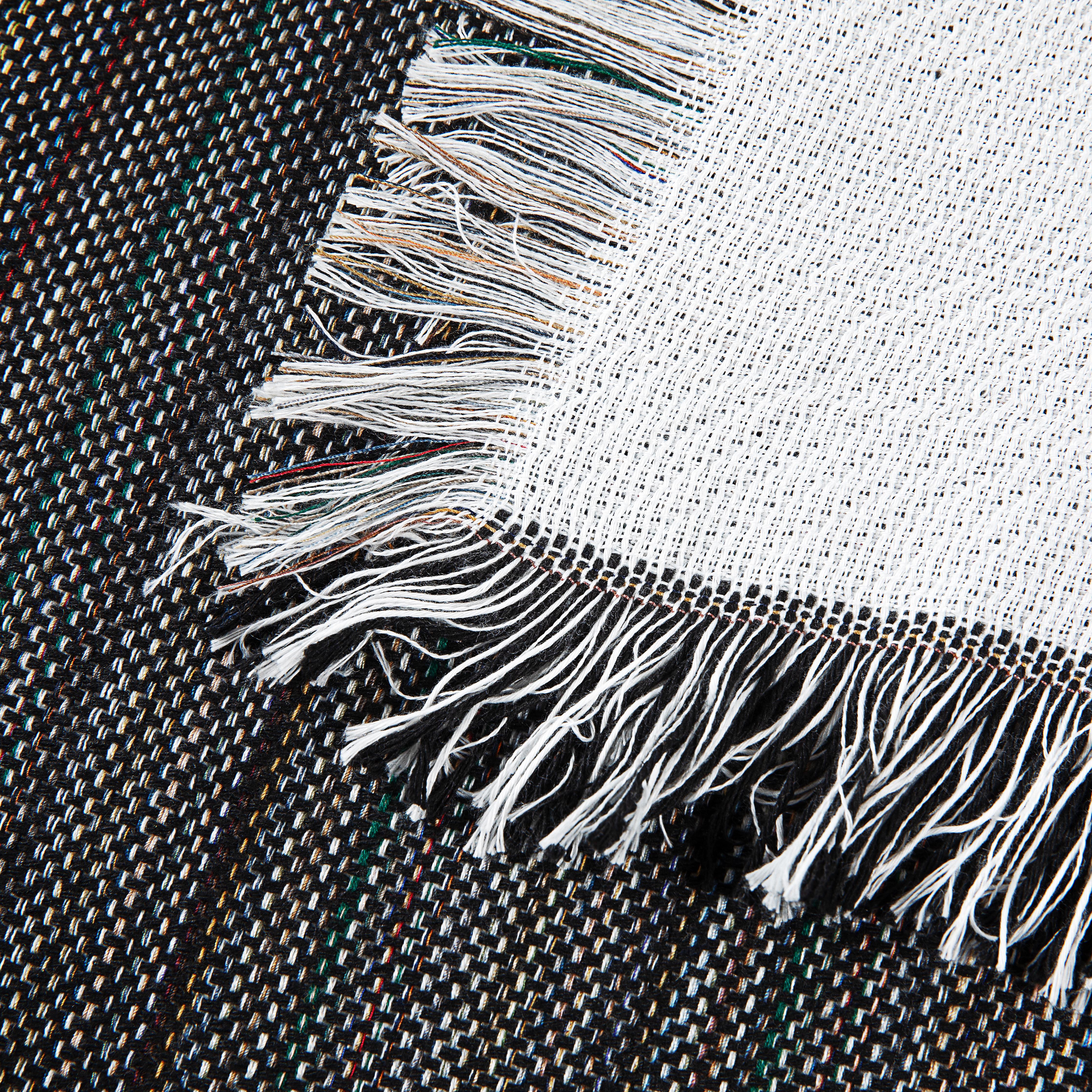
Woven Fabrics: Our Custom Woven Tapestry Blankets have their own unique texture—an intricate, grid-like surface. A medium-tack mask is usually the perfect starting point here. It’s strong enough to keep the design from wiggling on that uneven surface but not so aggressive that it snags the woven threads when you peel it away.
This simple visual guide shows how your process adapts to each of these premium fabrics.

The main takeaway here is simple: as the fabric texture gets more aggressive—from smooth fleece to plush sherpa—your transfer mask needs to get more aggressive, too.
Practical Application on Specialty Blanks
These same rules apply to all sorts of unique items. Take our Outdoor Picnic Blankets, for example. They have a micro-plush top that’s soft but also dense and durable. A medium-to-high tack mask is what you want, giving you enough grip to secure the design onto that tightly woven surface before pressing.
The huge demand for personalized goods is an incredible opportunity for small shops. In fact, the global market for heat transfer materials is projected to reach $2.21 billion by 2026, powered by the explosive growth in custom textiles. The development of new vinyls that adhere to tricky fabrics like sherpa is a direct result of the creative wave led by makers and Etsy sellers. You can dig into more stats on the heat transfer market growth on Reportprime.com.
Expert Insight: Before you ever place your design, always pre-press your blank for 2-3 seconds. This simple step steams out any hidden moisture and smooths away wrinkles, giving you a perfectly flat, dry canvas for the best possible adhesion.
This is especially important for plush materials like sherpa. The quick press helps flatten the fibers just enough for the vinyl to make solid contact. When you understand these details, you're not just sticking a decal on something—you're creating a durable, high-quality product that reflects the premium nature of your brand.
Your Step-by-Step Guide to Using an HTV Transfer Mask

Alright, theory is great, but let's get down to business. The real magic happens when you master the application process, turning a high-quality blank into a show-stopping final product. We're going to walk through the exact process for using a transfer paper for heat transfer vinyl—specifically, a mask for printable HTV. Follow these steps, and you’ll build the muscle memory for consistent, professional results.
The custom apparel world is booming, with the heat transfer vinyl market expected to hit USD 371.4 million by 2026. A big reason for this growth? Today's vinyl films are incredibly thin and flexible, beautifully conforming to tricky textiles like plush sherpa without cracking, even after dozens of washes. This kind of durability is exactly what you need for premium products. You can dive deeper into these trends over at Zion Market Research.
Step 1: Print and Cut Your Design
Everything starts at your printer. Load your printable HTV sheet into a compatible printer (like an eco-solvent model) and send your design. Double-check that you're printing on the correct side and that your color profiles are dialed in for rich, accurate tones.
Once it's printed, the sheet goes straight to your vinyl cutter. The machine will precisely trace the cut lines you’ve set up in your design software, cutting only through the vinyl layer. If you're still building your equipment setup, our guide on choosing printers for heat transfer paper is a great resource to make sure everything works together seamlessly.
Step 2: Weed Away the Excess Vinyl
Next up is weeding. This is simply the process of removing all the unwanted vinyl that isn't part of your graphic. Grab your weeding tool and carefully pick away the negative space, leaving your design perfectly isolated on its original paper backing.
Pro Tip: For designs with lots of tiny, intricate pieces, try "reverse weeding." Instead of picking out all the little bits, apply your transfer mask over the entire unweeded graphic. Then, flip it over and peel the main vinyl backing away. This pulls off all the large, unwanted sections at once, leaving your delicate details perfectly in place on the mask.
Step 3: Apply the Transfer Mask
Now it's time for the mask. Cut a piece of your heat transfer mask so it’s slightly larger than your design. Lay it over your weeded graphic, starting from the center and smoothing it outward. This helps prevent air bubbles from getting trapped underneath.
Using a squeegee, apply firm, overlapping strokes to bond the mask to the printable HTV. Don't rush this part—a solid bond is crucial for ensuring the mask can lift your entire design cleanly off its backing in the next step.
Step 4: Position and Press Your Design
With your design now stuck to the clear mask, you can gently peel away the vinyl’s original paper backing. Your graphic should now be on the sticky mask, ready for pressing.
Before you do anything else, pre-press your blank textile for 3-5 seconds. This is a non-negotiable step that removes any hidden moisture and smooths out wrinkles, giving you a perfect canvas. Now, carefully position your design on the textile. For a big graphic, try the "hinge method": tape down one edge, then slowly lower the rest of the design into place to ensure it’s straight.
Follow the manufacturer’s time and temperature guidelines for your specific HTV. A common starting point is around 305°F for 10-15 seconds using medium pressure.
Step 5: The Final Peel
This last step is all about timing and depends on your materials. Your mask and vinyl will specify either a "hot peel" or a "cold peel."
- Hot Peel: You can peel the mask off immediately after opening the heat press.
- Cold Peel: You must let the design and mask cool down completely before you touch it.
When you're ready, peel the mask back at a sharp, 180-degree angle, keeping it low and close to the fabric. A smooth, confident motion here ensures the vinyl remains bonded to the garment, leaving you with a flawless, commercial-quality finish.
How to Fix Common Transfer Mask Problems

Even when you follow every step perfectly, things can go wrong. We’ve all been there: a project that looked flawless a moment ago suddenly turns into a frustrating mess. The good news is that most transfer mask issues are common and totally fixable.
Learning to troubleshoot these hiccups is what separates the pros from the beginners. Let's walk through the most frequent problems so you can save time, materials, and your sanity.
Why Won’t My Vinyl Stick to the Mask?
This is probably the single most common headache. You’ve printed and weeded your design, you go to apply the mask, and the vinyl stubbornly refuses to lift off its original liner.
It almost always comes down to one of these three things:
- Not Enough Pressure: Applying the mask isn't a gentle process. You really need to use a squeegee with firm, overlapping strokes. This creates the strong bond needed to pull the vinyl up. Don't be afraid to put some muscle into it!
- Wrong Tack Level: Your mask just might not be sticky enough for the job. Thicker or textured materials, especially printable glitter HTV, need a high-tack mask with a more aggressive adhesive to grab and lift them properly.
- Brand Mismatch: It’s a simple truth that not all vinyl and transfer masks are designed to play well together. Whenever possible, stick with the manufacturer's recommended pairing to avoid this kind of trouble.
How Do I Stop My Design from Wrinkling?
You've got your design positioned perfectly, but after pressing, you spot tiny wrinkles or bubbles. This is a classic sign of trapped moisture or uneven pressure.
The single best thing you can do to prevent this is a pre-press. Always press your blank textile for 3-5 seconds before you apply the design. This little step steams out any hidden moisture and gives you a perfectly smooth surface to work with.
If you’re still getting wrinkles, take a look at your pressure. If you're using a hand press like a Cricut EasyPress, make sure you're applying firm, even pressure across the whole design. Pressing large graphics in separate sections can sometimes cause wrinkles where the heated areas overlap.
Why Is There Sticky Residue on My Blanket?
You peel away the mask and your design looks great, but there’s a sticky, shiny film left on the fabric around it. This is a dead giveaway that the adhesive from your transfer paper for heat transfer vinyl has overheated and melted onto your blank.
- Turn Down the Heat: This is the number one cause. Your heat press is almost certainly set too high for the mask you're using. Try dropping the temperature by 5-10 degrees and run a quick test on a scrap piece.
- Shorten Your Press Time: Too much time under the platen can also cause the mask’s adhesive to break down. Most masks only need 10-15 seconds to do their job, so stick closely to the recommended time.
Why Is My HTV Peeling After Washing?
This is every business owner's nightmare. The product looked perfect when it left your shop, but your customer says the design started peeling off after the first wash. This is almost always caused by an incomplete bond during the initial application.
The demand for custom apparel is enormous. The North American HTV market was valued at a staggering USD 440.80 million in 2026, with textiles accounting for over 70% of applications. Print shops that master their application process report 95% customer satisfaction with the durability of their products. You can dive deeper into the trends in the North American HTV market on cognitivemarketresearch.com.
To make sure your designs last, you have to nail these three elements:
- Correct Pressure: When the instructions say "medium pressure," they mean it. Your heat press needs to be calibrated to apply enough force to push the HTV’s adhesive deep into the fabric's fibers.
- Proper Temperature and Time: Always double-check the specs for your specific HTV. Being off by even 10 degrees can be the difference between a temporary stick and a permanent bond.
- Fabric Compatibility: Some fabrics, especially cheaper ones, have chemical coatings that prevent adhesives from sticking. If you're suspicious, pre-washing your blanks can help. Sticking with high-quality textiles known for their printability, like those in our curated Spark Blank Textiles collection, is your best bet for consistent, quality results.
Your Top Questions About HTV Transfer Masks, Answered
Even when you have all the right gear, questions pop up. As textile specialists focused on helping small businesses succeed, we've heard them all. Here are the answers to the most common questions we get about transfer paper for heat transfer vinyl, so you can get back to creating.
Can I Reuse My HTV Transfer Mask?
We get this one a lot, and the short answer is: sometimes. A good, high-quality heat-resistant mask can definitely handle a few presses, usually somewhere between two to five times. Reusing your mask is a great way to reduce waste, especially if you're just running in-house tests or working on simple designs.
But there's a catch. Every time you heat-press that mask, its stickiness—what we call "tack"—gets a little weaker. A good rule of thumb is to keep reusing it until it stops picking up your vinyl cleanly. The moment it struggles, it's time for a new piece.
One word of advice: for a paying customer's order or a really complex design, always start with a fresh sheet. It's not worth the risk of a transfer failing and ruining a perfectly good blank. And never, ever reuse a mask that’s picked up dust or lint. Those tiny particles will get permanently fused into your fabric, and there's no coming back from that.
What Is the Difference Between a Mask and a Carrier Sheet?
Nailing this distinction is fundamental to working with HTV. Mixing them up is a common mistake that leads to a lot of confusion and wasted material.
A carrier sheet is the clear, plastic-like layer that comes already attached to your standard HTV rolls (think Siser EasyWeed). After you cut and weed your design, this built-in sheet holds everything in place for you.
A transfer mask (also called transfer tape) is a separate product you buy. You only need this when you're working with printable HTV. You print your graphic, then lay the mask over it to lift the design off its paper backing and move it onto your blanket or towel.
So, to put it simply: standard HTV comes with its own carrier. For printable HTV, you have to bring your own mask to the party.
Why Won’t My Vinyl Stick to the Transfer Mask?
It’s one of the most frustrating things that can happen. You’ve printed a beautiful design, but the vinyl just refuses to lift onto your mask. When this happens, it almost always comes down to one of three things.
First, check your tack level. If your mask's adhesive is too weak for the type of vinyl you're using (like a low-tack mask on a thick, glossy printable vinyl), it just won't have the strength to pull it up.
Second, you might not be applying enough pressure. When you apply the mask, you really have to burnish it down with a squeegee. Use firm, overlapping strokes to force that adhesive to bond with the vinyl. Don’t be gentle—you need to create a solid connection.
Finally, you could be dealing with brand incompatibility. It’s rare, but some vinyl and mask combinations just don’t play well together. Your best bet is to check what the manufacturer recommends for both the printable HTV and the mask you're using.
Do I Need a Different Mask for Glitter Printable HTV?
Yes, absolutely. For glitter, a special mask is non-negotiable. Printable glitter HTV has a bumpy, textured surface that a regular mask just can't get a good grip on. The adhesive can't make full contact, and the transfer will fail.
For media like this, you must use a specialized high-tack mask. These are made with a much stronger adhesive designed specifically to grab onto those uneven surfaces you find on glitter, flock, or twill materials.
Using a standard medium-tack mask on printable glitter HTV is a recipe for disaster. It will either fail to lift the design at all or leave you with a patchy, ruined graphic.
Investing in the right mask for specialty vinyl isn't just a suggestion; it's essential for professional results. It will save you a ton of time, materials, and headaches, ensuring your glittery creations transfer perfectly every time.
Ready to turn your ideas into beautiful, professional-quality products? The journey from a blank canvas to a brilliant finished piece starts with a great foundation. At Spark Blank Textiles, we've hand-picked a collection of premium blankets, towels, and other textiles chosen specifically for their amazing feel and printability.