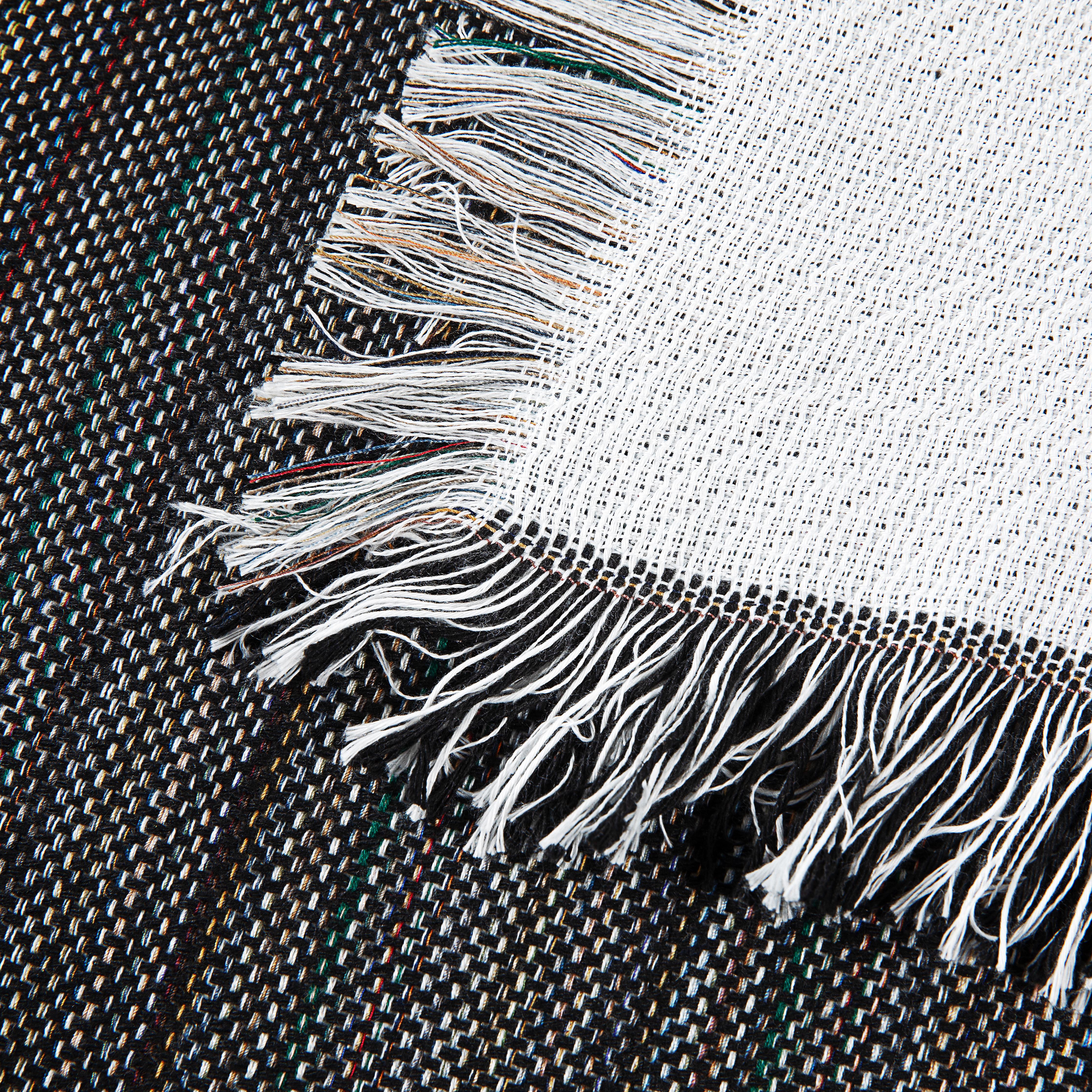
Sublimation Printer Large: Your Guide for Blankets
Your shop usually reaches this point.
One week you are turning around shirts, mugs, and small gift items without much friction. The next week, customers start asking for memorial blankets, team throws, oversized beach towels, and home décor pieces that feel more substantial than a standard promo item.
That shift matters. Large textiles change the kind of order you can win.
A blanket feels like a premium gift. A picnic blanket or towel opens doors to schools, resorts, event merch, family reunion orders, boutique baby gifts, and corporate gifting that needs more perceived value than a tee. The customer sees something useful, personal, and worth keeping.
The business case is not just anecdotal. The global dye sublimation printing market grew from $12.74 billion in 2024 to $14.00 billion in 2025, with projections of $20.24 billion by 2029, driven largely by demand for custom apparel and home goods on e-commerce platforms where small businesses thrive, according to this dye sublimation printing market forecast.
From T-Shirts to Throws Why It Is Time to Go Large
The first sign you are ready for a sublimation printer large enough for blankets is usually not technical. It is commercial.
Customers stop asking, “Can you print this logo on a shirt?” and start asking, “Can you make this into a blanket for my daughter’s graduation?” or “Can you do full-color towels for our brand launch?” Those jobs carry different expectations. Buyers want size, softness, gift appeal, and color that holds up across a much bigger surface.

Why larger products change your business
Small hard goods are useful for cash flow. They are also crowded.
Large textile products let a growing shop move into work that feels more custom and less interchangeable. A photo blanket for a memorial order, a sherpa throw for a school fundraiser, or a beach towel for a boutique resort has stronger perceived value than a mug with the same artwork.
That shift also changes how buyers judge your work:
- Finish matters more: On a blanket, weak color or crooked placement is obvious.
- Material matters more: Plush textiles expose every flaw in moisture control, lint removal, and pressure.
- Presentation matters more: The customer is not buying a novelty item. They are buying something that may live on a couch, bed, or in a gift box.
Bigger equipment means bigger opportunities
A large-format printer is not just a wider machine. It is access to a broader product mix.
With the right workflow, you can move into:
- Photo blankets for family gifts, memorials, and baby keepsakes
- Promotional towels for golf events, gyms, and resort retail
- Home décor textiles that sit outside the usual t-shirt competition
- Seasonal gifting where customers want premium, personal products
A shop that can print large, soft goods well is no longer competing only on price. It is competing on product experience.
That is why this move feels exciting and intimidating at the same time. The jobs are better. The mistakes are more expensive. A skewed shirt transfer wastes a shirt. A bad blanket run can waste paper, ink, time, and a premium blank in one shot.
The good news is that the jump from small sublimation to large textiles is manageable when you treat it as a workflow change, not just a machine purchase.
How to Choose the Right Large Format Sublimation Printer
Most buyers start by comparing brands. That is understandable, but it is not the best first move.
The better question is simpler. What are you trying to produce, and in what volume?
If your shop wants occasional custom throws and towels, your answer should look different from the shop handling repeat bulk orders. The right sublimation printer large enough for blankets depends less on hype and more on width, feed style, ink delivery, software, and how much daily output you need.

Start with print width
Blankets and towels expose width limitations fast.
A narrow printer can still be useful if you plan around paneling or smaller-format products, but once you move into throws and larger home textiles, width stops being a convenience issue and becomes a production issue. You want enough width to print efficiently without forcing awkward layout compromises.
Think in terms of your target products:
| Product type | What width question matters |
|---|---|
| Smaller towels and gift textiles | Can you fit the artwork comfortably without piecing panels together? |
| Throws and medium blankets | Can you cover the printable face efficiently with enough room for bleed and alignment? |
| Oversized home décor work | Can your workflow support wide paper handling, transfer staging, and pressing without strain? |
A machine that is technically capable but constantly forces workarounds will slow your shop down.
Convert or buy dedicated
This is the decision most small businesses wrestle with first.
A converted entry-level wide-format printer can cost under $1,000, while dedicated large-format options are built for speed and reliability. The trade-off is volume. Conversions fit low-volume custom orders, while dedicated roll-fed systems are the practical choice for bulk output, as noted in this comparison of converted versus dedicated large-format sublimation printers.
That trade-off shows up in real life pretty quickly.
A conversion makes sense when
- You are testing demand: You want to validate blankets or towels before committing to a larger system.
- Your order mix is custom and low-volume: One-off gifts and short runs are your bread and butter.
- Space is tight: A compact converted setup fits a home studio or small production room more easily.
A dedicated machine makes sense when
- You need roll-fed production: Large paper handling becomes smoother and more repeatable.
- Downtime hurts: You need reliability, warranty support, and a machine built for sublimation from day one.
- Your orders are stacking: When production pressure rises, the cheap entry cost of a conversion matters less than throughput and consistency.
Converted printers are a business test. Dedicated printers are a production decision.
One more practical point. Converted machines often look attractive because the buy-in is lower, but if your main product is large plush textiles, the limits show up fast. You need dependable feeding, predictable color behavior, and a setup that does not become fragile the moment your order volume rises.
The specs that matter
A spec sheet gets noisy fast, so narrow it down to what affects blanket and towel jobs most.
- Ink system: Bulk ink setups usually make more sense for sustained production. They simplify refilling and can reduce the pain of frequent cartridge swaps.
- Printhead behavior: Plush textiles reward consistency. You want a machine known for stable output and clean nozzle performance.
- Software bundle: A printer without a serious color workflow can become expensive in wasted material.
- Feed and take-up practicality: Large transfer paper is easier to manage when the machine is designed for it.
- Service path: Ask what happens when something goes wrong. Fast support matters when deadlines are real.
Match the machine to your current stage
Shops get into trouble when they buy for fantasy volume or stay too small for obvious demand.
Use this frame instead:
- Stage one: You are proving the product line.
- Stage two: You are getting repeat orders and need dependable turnaround.
- Stage three: You are selling large textiles as a core category and need capacity, speed, and fewer manual workarounds.
If you are in stage one, keep risk controlled. If you are in stage three, stop buying like a hobbyist. The middle is where most shops hesitate too long.
Setting Up Your Workflow for Perfect Color and Consistency
A wide printer does not automatically produce professional blanket prints. Software does a lot of that heavy lifting.
Growing shops often lose money without realizing it here. The artwork looks good on screen, the printer runs, the transfer looks acceptable, and the finished textile still lands slightly off. Reds drift. Neutrals look muddy. Black looks soft instead of rich.
Why a RIP matters
For large textile work, a RIP software workflow is not overkill. It is the control center.
A RIP helps you manage layout, nesting, mirroring, ink behavior, and color handling in a way a basic printer driver cannot. On large blanks, those controls matter more because every inconsistency gets magnified over a much bigger surface.
A key advantage is repeatability. If a customer reorders the same blanket design next month, you want to run the same settings and get the same visual result.
ICC profiles are not optional
An ICC profile is the translation layer between your design file and your actual print output.
Without the right profile, your printer, ink, paper, and substrate are all making assumptions. That is why so many shops think they have a heat press problem when they really have a color management problem.
Applying sublimation-specific ICC profiles in RIP software like ONYX or ErgoSoft prevents up to 80% of the color shift issues reported in workflows that rely on default printer drivers, and this calibration is key to achieving consistent color within ΔE<2, according to this large-format sublimation workflow guide.
That sounds technical, but the practical takeaway is simple. If you want repeatable blanket color, stop relying on the default driver.
A clean setup sequence
Use a simple order of operations:
- Build the file correctly: Work from clean art with the right size and resolution for the final textile.
- Load the correct profile: Match the printer, ink, paper, and intended substrate workflow.
- Mirror and place carefully: Large-format jobs punish lazy placement.
- Save tested presets: Once a fleece throw or towel runs well, preserve that recipe.
- Check before production: Print a controlled sample before a full run.
A deeper look at the production flow helps if you are refining your setup. This overview of the dye sublimation printing process is a useful refresher for lining up design, transfer, and pressing steps.
The shops that get strong blanket color consistently are not guessing less because they are lucky. They are guessing less because they saved tested settings.
What works and what does not
What works
- Consistent paper choice
- Saved job presets for repeat products
- Profile testing on the actual type of textile you sell
- Standardized artwork prep between jobs
What does not
- Switching papers and inks casually
- Letting different team members use different driver settings
- Tweaking color by eye on every order
- Assuming a good shirt profile will behave the same on a plush blanket
The fastest path to consistency is boring. Standardize the workflow, document the winning settings, and stop improvising every time a new order comes in.
Mastering Media Handling and Staging for Large Blanks
Many blanket problems start before printing and before pressing.
Large-format work is physical. It takes room, clean staging, disciplined handling, and a habit of slowing down at the right moments. A wide transfer sheet can pick up dust, shift out of square, wrinkle, or absorb moisture long before it reaches the press.

Set the room up for large work
A blanket workflow fails when the shop layout still behaves like a mug room.
You need clear infeed and outfeed space for printed transfer paper. You need a clean table large enough to stage the blank flat. You also need a habit of keeping food, drinks, open boxes, and scraps away from your staging area. On plush items, lint and debris show up where you least want them.
One reason this matters more now is that the equipment has become more capable. The global dye sublimation digital printer market was valued at $1.73 billion in 2024 and is projected to reach $2.84 billion by 2032. A key development was the launch of high-speed, wide-format models optimized for 1.8-meter textiles, boosting production efficiency by up to 200% for home décor items like blankets, according to this dye sublimation digital printer market report. Faster print production is only useful if the rest of your workflow can keep up.
Handle paper like finished work
Transfer paper for large jobs deserves more respect than many shops give it.
Do not drag it across rough surfaces. Do not let cut sheets slump off the table edge. Do not stack printed transfers where the ink side can pick up contamination. Once the job is printed, treat it like a sensitive intermediate product, because that is what it is.
A simple staging rhythm helps:
- Cut first: Trim and organize paper before the rush starts.
- Label runs: If you have multiple orders, separate them clearly.
- Keep prints flat: Curl and edge damage create alignment trouble later.
- Protect the face: Printed transfer surfaces should stay clean and dry.
Prep the blank before the press
Careful blank preparation is how experienced textile decorators save themselves a lot of waste.
For towels and blankets, prep usually means:
- Lint rolling thoroughly
- Checking the nap direction
- Squaring the blank on the table
- Watching for folded edges or manufacturing compression
- Pre-pressing if the textile tends to hold moisture
Alignment also matters more than many sellers expect. A design can be bright and sharp and still look amateur if it sits slightly off-angle across a large towel or blanket.
For product-specific ideas on layout and printable options, this guide to sublimation blanket blanks is useful when you are deciding what type of textile is best suited for your artwork style.
If a large blank is not flat, clean, and square before pressing, the printer cannot save the job.
The shops that make blankets look easy usually have a quiet discipline around staging. They are not rushing the blank onto the press. They are controlling the variables before heat ever enters the process.
Advanced Heat Press Techniques for Blankets and Towels
A good transfer can still fail at the press.
This is the point where large textile jobs either turn professional or expensive. With blankets and towels, pressure distribution, secure paper placement, and platen coverage matter just as much as temperature.

Pick the press that gives you control
Large plush items need even pressure more than brute force.
A swing-away press often gives better access for careful layout because you can stage the blanket without fighting the upper platen. A clamshell can still work, but many shops find large soft goods easier to align on a setup that gives more open working space.
Pressure matters because thick textiles hide uneven contact. You may think the transfer is flat when the loft of the fabric creates inconsistent contact across the image area.
If you are comparing equipment styles, this breakdown of the swing-away heat press is helpful when deciding what fits blanket work best.
Build a repeatable pressing routine
For large items, routine beats improvisation.
A reliable sequence looks like this:
- Pre-press the blank when needed to release trapped moisture and flatten the surface.
- Position the transfer carefully with visual references from edges or fold lines.
- Secure the paper so it cannot shift during closing or opening.
- Use protective layers when appropriate to reduce scorching or unwanted transfer contamination.
- Open the press smoothly and peel with control.
That sounds basic, but most ruined blanket transfers come from small lapses in one of those five steps.
Tape and protection are not optional on large work
Large transfer sheets move more easily than people expect.
The weight of the paper, the lift from thick fabric, and the motion of opening the press can all create a slight shift. On a mug, that might be minor. On a blanket, it can produce obvious double imaging.
Later in the workflow, a quick visual example helps:
Use heat-resistant tape where the job needs it. Use protective paper to keep stray ink off the platen and off the textile. If the fabric is especially plush, slow down and make sure the transfer is making full, stable contact before you commit.
On large blankets, the press opening is part of the transfer. Open too fast and a perfect setup can still ghost.
Watch the edges and corners
Edge performance tells you a lot about your setup.
If corners look weaker than the center, suspect pressure balance, staging, or blanket loft. If one side consistently looks softer, check whether the item is entering the press square and whether the pressure is even across the platen area you are using.
At this point, shops also decide whether they can press in one shot or need a more careful staged approach for certain oversized pieces. Bigger is not automatically harder, but it does punish sloppy mechanics.
Quality Checks and Troubleshooting Common Print Flaws
A finished blanket should cool before you judge it.
Once it is ready to inspect, use the same checklist every time. That habit keeps quality from becoming subjective, especially when multiple people are packing orders.
The post-press checklist
Look at the job in this order:
- Overall alignment: Does the design sit straight and where it should?
- Color strength: Does the image look full and clean, not washed out?
- Image clarity: Are edges sharp, especially in text and detailed art?
- Surface cleanliness: Any lint specks, press marks, or contamination?
- Motion defects: Any shadowing or double image from paper shift?
A quick systematic check is better than a casual glance. Large textiles can look great from a distance and still hide flaws that the customer will see immediately.
Common issues and what usually causes them
| Flaw | Most likely cause | Best first fix | |---|---| | Ghosting or double image | Transfer paper shifted during pressing | Secure the paper better and review how the press is opened | | Blurry print | Moisture in the textile | Pre-press and store blanks in a stable environment | | Faded sections | Uneven contact or weak transfer conditions | Recheck staging, pressure, and blanket loft | | Fine vertical lines or banding | Printer maintenance issue | Run nozzle checks and address printhead cleanliness | | Specks or voids | Lint or debris on the blank | Lint roll more aggressively before pressing |
The two most common blanket killers are movement and moisture.
Industry benchmarks show ghosting affects up to 20% of large-format runs without proper paper securing, but heat-resistant tape can raise success to 98%. Moisture-induced blurring occurs in about 18% of prints on high-GSM plush fabrics and can be virtually eliminated by pre-pressing the blank for 10 to 15 seconds, according to this troubleshooting guide for sublimation workflow efficiency.
That lines up with what many textile shops see in practice. If a plush blanket print looks soft or slightly doubled, check the simplest causes first. Was the paper fully secured? Was the item pre-pressed thoroughly enough?
Diagnose before you change everything
A common mistake is changing too many variables at once.
If one run looks bad, do not immediately blame the ink, the paper, the printer, the blank, and the press all in the same breath. Start with the flaw and work backward.
If the image is blurry
Think moisture first. Plush fabrics can hold more hidden moisture than they appear to.
If the print is doubled
Think movement. The paper likely shifted during press closing, opening, or peel.
If color looks weak
Check whether the transfer had full, even contact. Then check whether your print settings were the same as your known-good setup.
Good troubleshooting is boring on purpose. Change one variable, test again, and write down what happened.
Build a quality habit, not a rescue habit
A shop that waits for flaws to appear is always playing defense.
A stronger approach is to create simple controls:
- Save your best settings
- Use a press checklist
- Inspect the first piece before running the rest
- Keep a problem log for repeat defects
- Train everyone to spot the same issues the same way
That is how blanket production becomes dependable. Not because problems disappear, but because they become easier to prevent and easier to identify.
Frequently Asked Questions for Scaling Your Blanket Business
How do I price a blanket profitably
Start with your real material costs, then add labor, overhead, spoilage allowance, and packaging.
Do not guess from what another seller charges. Large textile jobs use more paper, more staging time, more press time, and more table space than small items. If a blanket order disrupts your day more than a shirt order, your pricing should reflect that.
A practical approach is to create one worksheet for each product category. Build separate pricing models for fleece throws, sherpa throws, towels, and picnic blankets. That makes reorder pricing much easier and keeps you from undercharging on your heaviest workflows.
Can I print on the fluffy side of a sherpa blanket
In most cases, no. The printable side is usually the smooth polyester face.
The fluffy sherpa backing is there for feel and warmth, not for clean image reproduction. Trying to force detailed sublimation onto a heavily textured backing usually gives disappointing clarity. When a customer asks, it helps to explain that the blanket is designed for a vibrant printed face with a plush reverse side.
What is the best way to package a large sublimated blanket
Let it cool fully, inspect it, remove stray lint, then fold it neatly with consistency.
For customer presentation, the details count. Keep the fold square, protect the printed face, and avoid packing while the item still holds residual heat from pressing. If you sell gifts, a clean insert card or simple branded wrap can make a blanket feel much more premium without adding much complexity.
How do I avoid white lines near seams or edges
Design with the construction of the product in mind.
If a textile has folds, seams, or thickness changes near the edge, those areas may not accept the transfer the same way as the flat center section. The fix is usually a combination of better artwork planning, stronger alignment discipline, and choosing product formats that suit edge-to-edge decoration better.
For some types of all-over work, you may need a different production method entirely than a straightforward single-piece press.
Should I take every blanket order that comes in
No.
Some jobs look attractive and then eat your margin. Be careful with rush jobs on unfamiliar substrates, oversized artwork with no bleed, or customer-supplied files that are low quality and impossible to fix cleanly at large scale.
A healthy blanket business grows faster when you standardize a few winning product types first. Once your workflow is stable, then expand.
When should I upgrade my printer setup
Upgrade when your current system creates bottlenecks more often than it creates savings.
That usually shows up as missed turnaround targets, manual workarounds, frequent babysitting, or a growing reluctance to accept larger orders. A machine that was smart for product testing can become expensive once it starts slowing down your production calendar.
How many product types should I launch first
Fewer than you think.
Start with a tight set of blanks you can print well and price confidently. A focused lineup is easier to sample, photograph, document, and repeat. It also helps your team build strong habits before you branch into more variables.
What helps most when scaling from one-off gifts to repeat runs
Standardization.
Keep a written record of print settings, press habits, staging rules, packaging steps, and final inspection criteria. That is what turns good output from a skilled operator into repeatable output from a growing business.
If you are building out a blanket, towel, or premium textile line, Spark Blank Textiles is a strong place to source blanks that are curated for customization rather than pulled from a generic catalog. The selection focuses on premium textiles, practical options for small businesses, and fast US fulfillment, which makes it easier to test new products and restock proven sellers without overcomplicating your workflow.